Customers book appointments right in the chat
On your website and in every chat channel you connect: WhatsApp, Instagram, Telegram and Viber. Your AI assistant can book for them.
Book right in WhatsApp
Customers ask for an appointment in WhatsApp, and your AI assistant offers the free times and books the one they pick. It works the same way in Instagram, Telegram and Viber.
Kelda Movement Studio
Online
Book from a DM
Someone asks in Instagram Direct, and your AI assistant replies with free times and books the class in the same chat.
Kelda Movement Studio
Online
Your website books for you
Visitors pick a service and a time right in your website chat, without leaving the page or picking up the phone.

Kelda Movement Studio
Online
Message
Pick your coach
Customers choose who they want to see, or simply take whoever is free. It works the same in Viber as in every other channel.
Kelda Movement Studio
Online
Two places left? Book both
For classes and tours, customers see how many places are left and can book for a friend too.
Kelda Movement Studio
Online
Message
Reschedule without a phone call
Plans change. Customers move or cancel a booking with a quick message in any channel, and your calendar updates by itself.
Kelda Movement Studio
Online
A reminder, not a no-show
Wexio reminds customers before their booking. If plans changed, they cancel in a tap and the place opens up for someone else.
Kelda Movement Studio
Online
How online booking for your website and chats works
Three steps from sign-up to your first booking. No code and no developer needed.

1
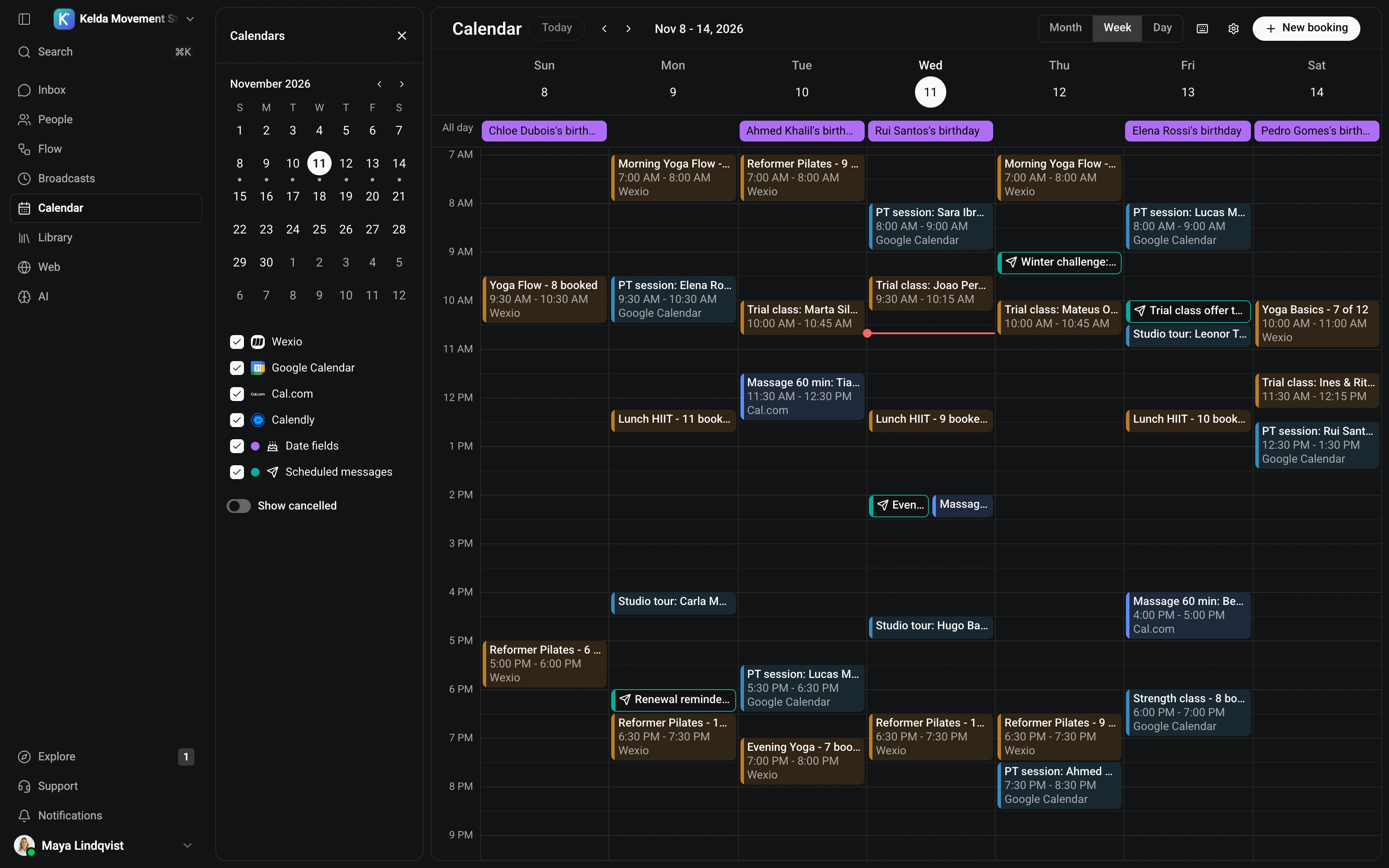
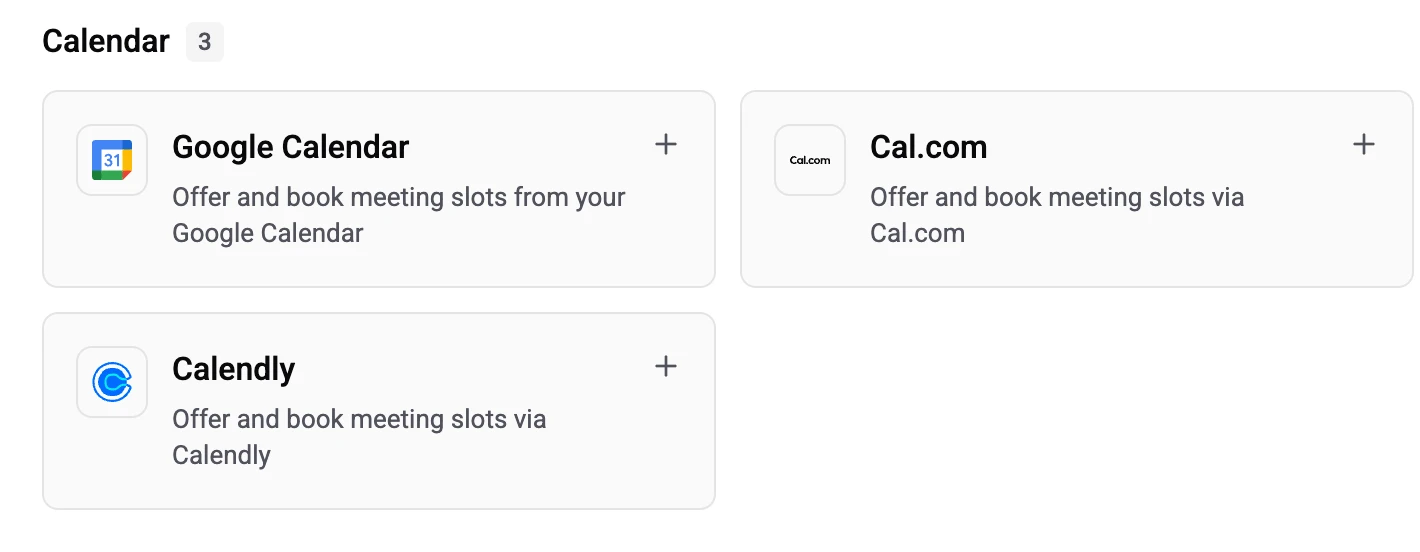
Choose your calendar
Use the calendar built into Wexio, or connect Google Calendar, Cal.com or Calendly. Set your working hours once, and only free times are offered to customers.

2
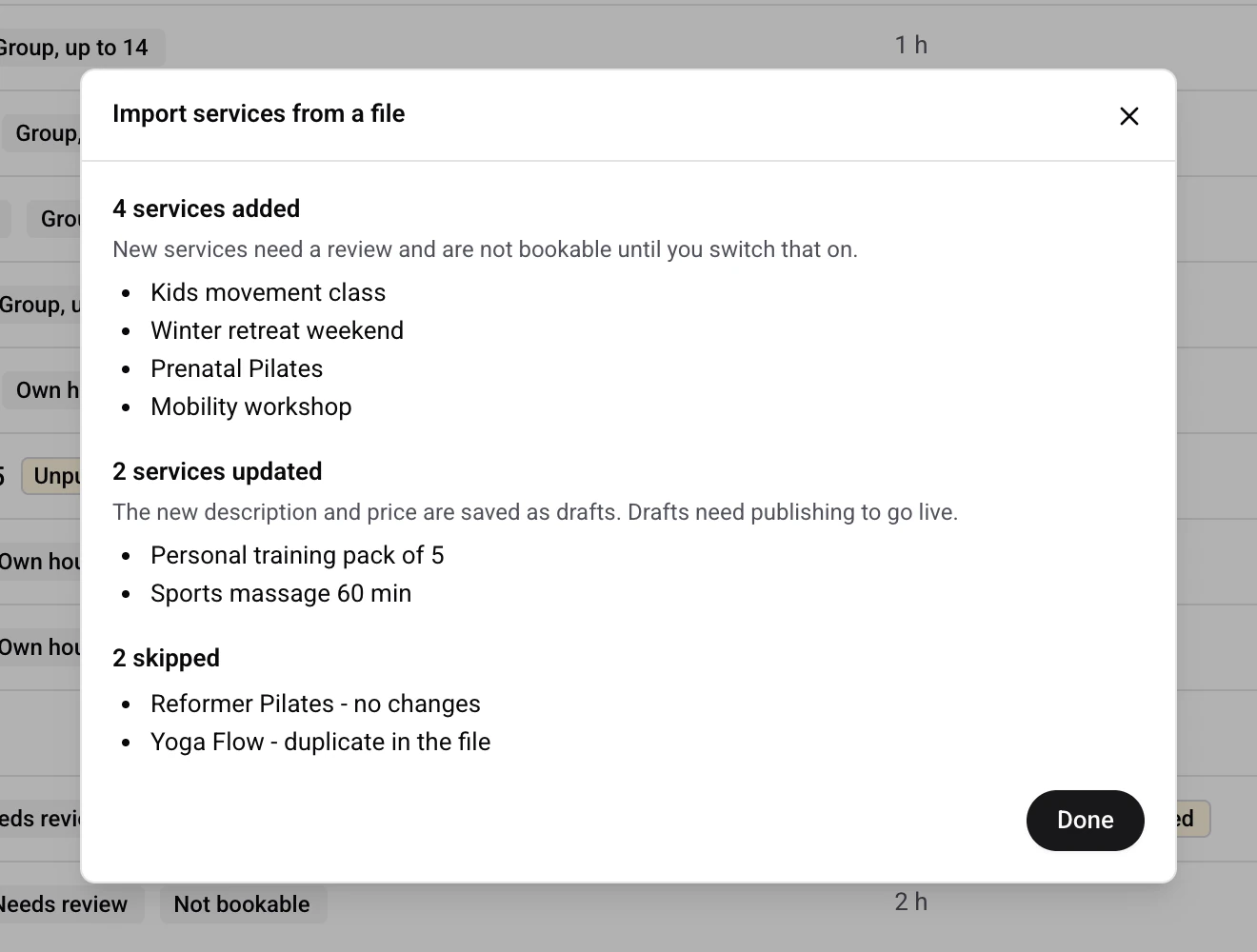
Add your services and team
List what people can book, with prices, durations and photos, and who provides each service. Import it from your website or a file to save typing.

3
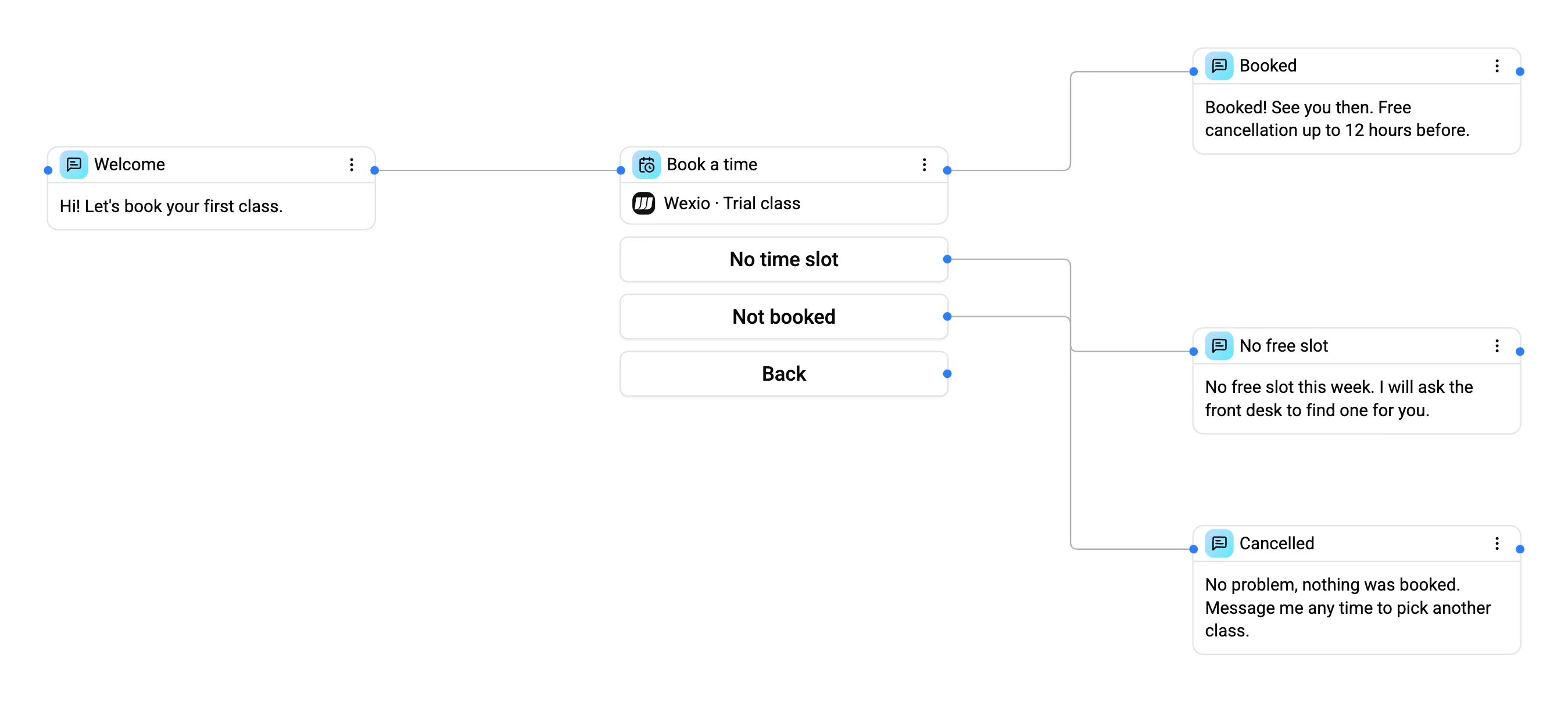
Turn on booking in your chats
Switch on the booking screen in your website widget, let your AI assistant book in WhatsApp, Instagram, Telegram and Viber, or add a "Book a time" card to your flows.
Everything behind every booking
Calendars, services, specialists and reminders work together, so every booking is right the first time.

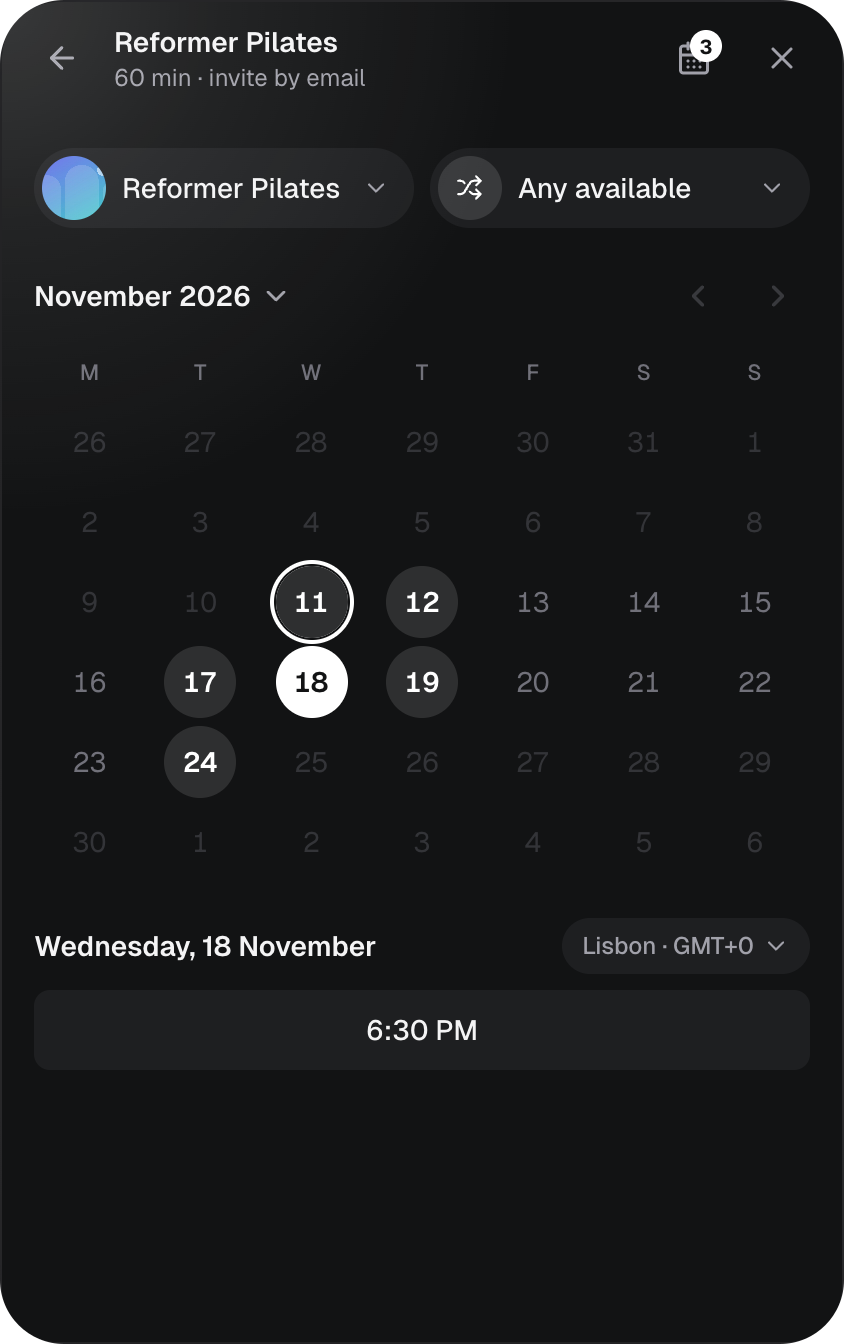
A booking screen on your website
Your web widget gets its own booking screen. Visitors choose a service, a specialist and a time in a few taps.
Services and Specialists
Show what you offer with prices, durations and photos, and who does it. Bring it all in from your website or a file. Included on every plan.
Reminders and emails
Customers get a reminder before their booking and a confirmation email with an "Add to calendar" button, so fewer people forget to come.
Made for busy days

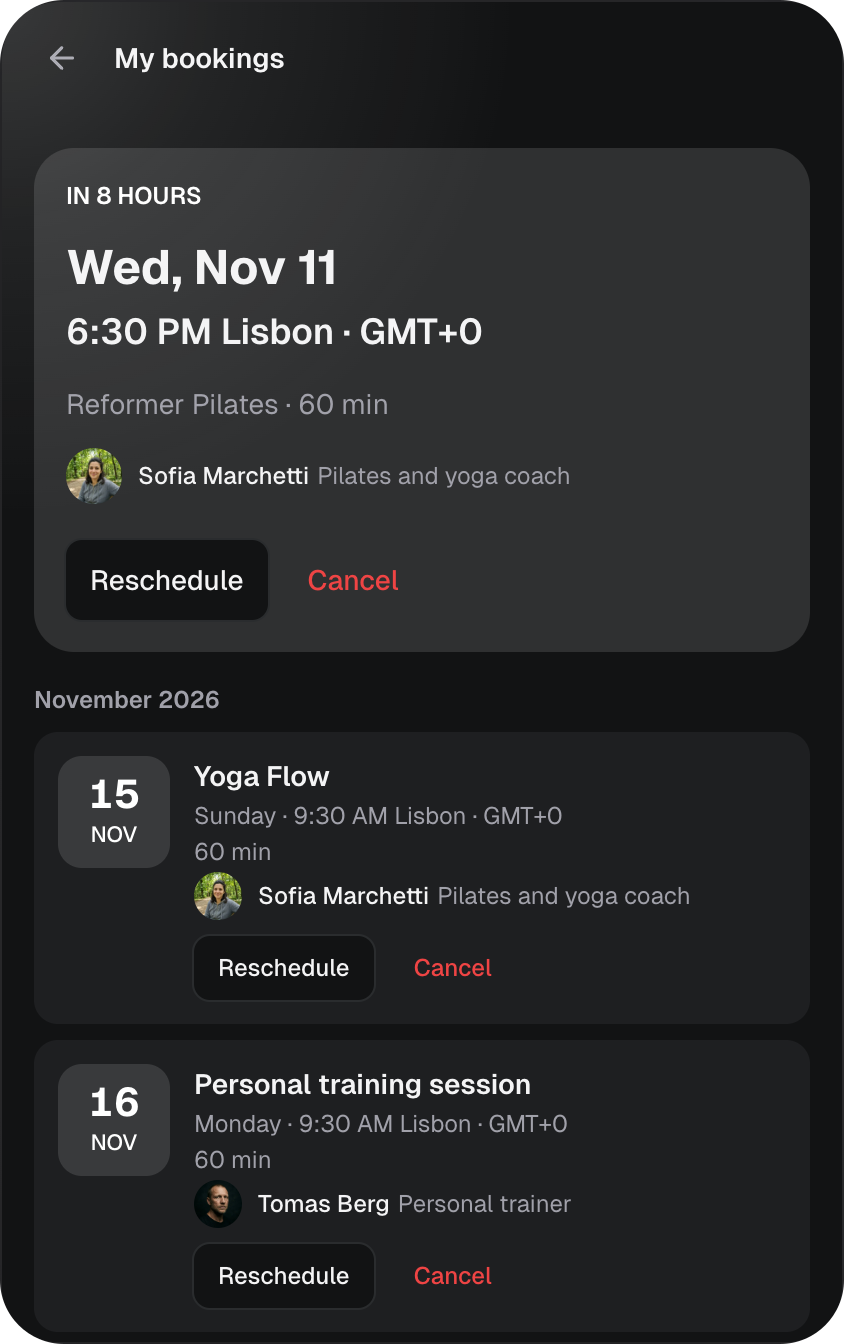
My bookings
Customers see all their bookings in one place and can check them any time.

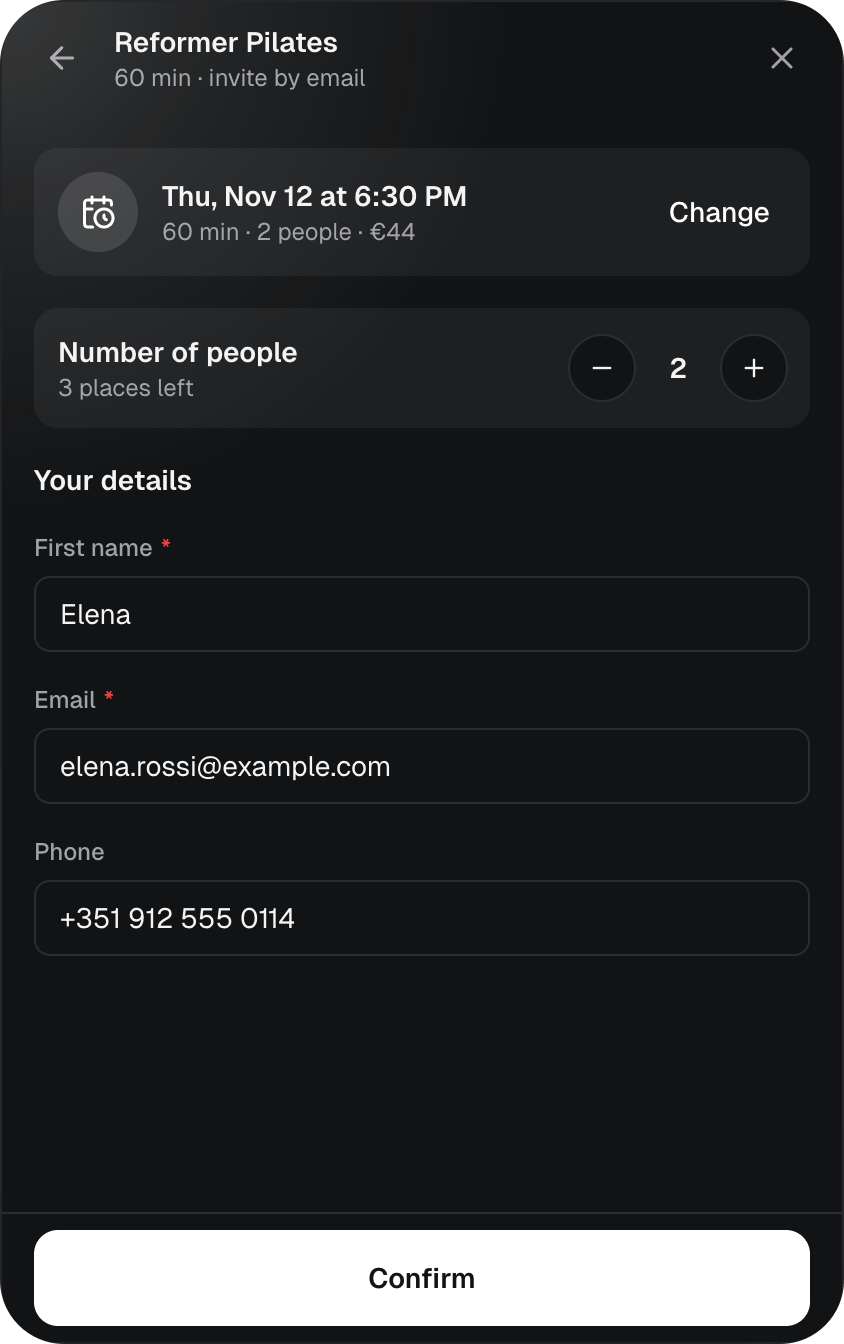
Group classes: book several places
Customers see how many places are left and can book more than one, for a friend or the whole family.

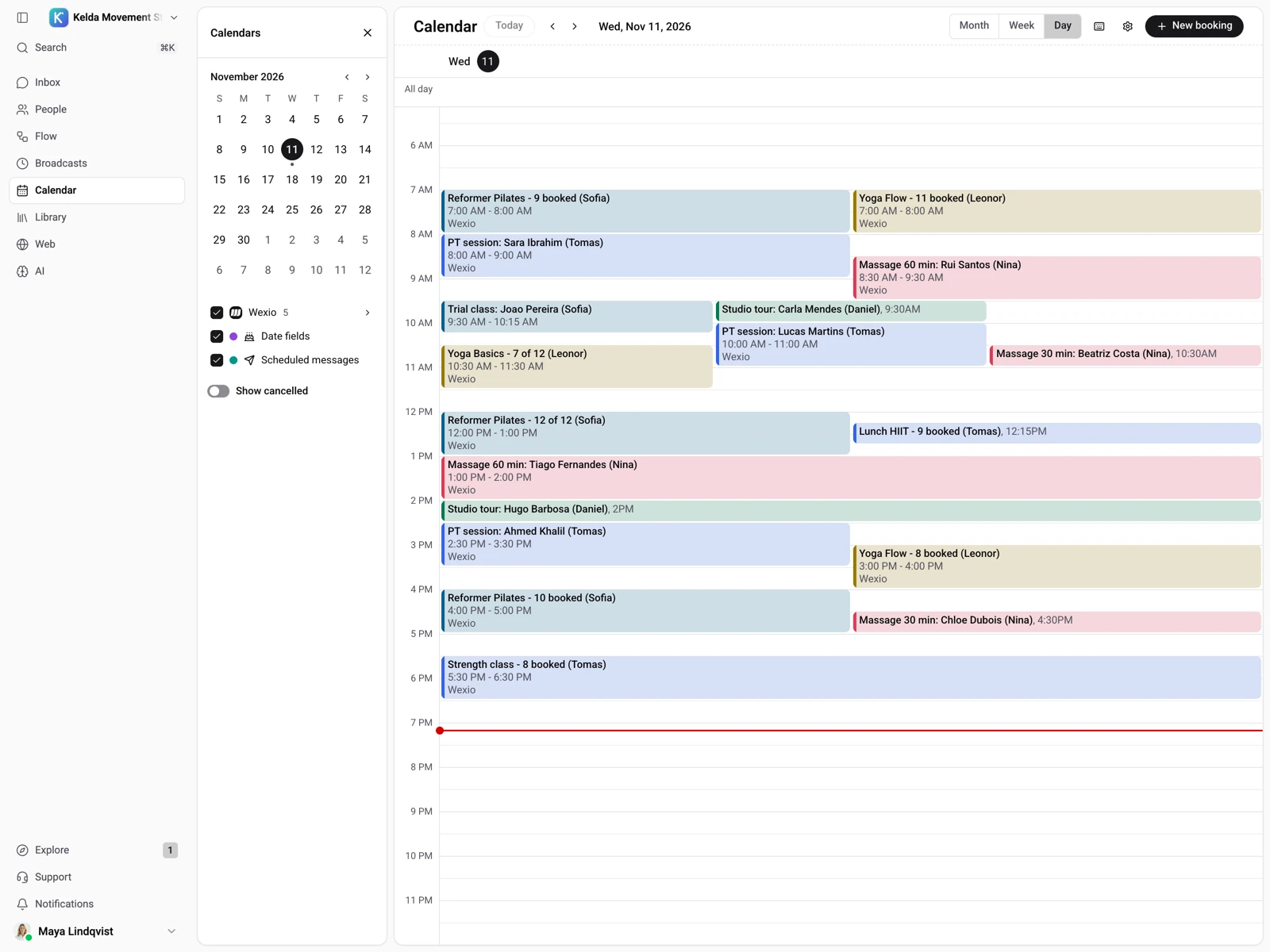
One calendar for your team
See every booking at a glance, with each customer's bookings right next to their chat.
Booking in the chat vs. sending a booking link
A link sends people somewhere else. Booking in the chat keeps them where they already are.
Booking in the chat
Book where they asked
- Free times appear right in the conversation
- One tap picks a time, and the booking is confirmed
- Questions get answered in the same thread
- Changes and cancellations happen there too
A booking link
Leave the chat to book
- The customer opens a new page and starts over
- They fill in their details on an unfamiliar site
- Questions go back to the chat, then back to the link
- Many give up somewhere between the two
Works with the calendar you already use
Keep your schedule where it is and take bookings from every chat.

Wexio calendar
All plans
Built in and ready from day one, with nothing to connect.

Google Calendar
Standard plan and up
Connect your Google calendar and keep working the way you do today.

Cal.com
Pro plan and up
Already take bookings with Cal.com? Bring it into your chats.

Calendly
Pro plan and up
Connect Calendly and let customers book from the conversation.

Google Meet
Online meetings
For online meetings, the Google Meet link comes in the confirmation email and the reminders.
Services, Specialists and the built-in calendar are on every plan. Flow booking cards (Book a time, Reschedule booking, Cancel booking) need a paid plan.
Bookings on Wexio, answered
On your website through the web widget, and in WhatsApp, Instagram, Telegram and Viber chats. Customers book right in the conversation, without going to another site.
Yes. When a customer asks for an appointment, your AI assistant checks which times are free, suggests a few and books the one the customer picks.
No. Wexio has a built-in calendar that works from day one on every plan. If you prefer, you can connect Google Calendar from the Standard plan, or Cal.com and Calendly from the Pro plan.
Yes. Customers can reschedule or cancel right from the chat, and see all their bookings under My bookings. Your calendar updates by itself.
No. They book with their name and email, right in the chat or on the booking screen of your website widget. There is nothing to download and nothing to sign up for.
Free times are shown together with their time zone, and on your website's booking screen customers can switch the time zone, so someone booking from abroad sees the right time.
Yes. Booking messages, reminders and confirmation emails go out in your customer's language: English, Ukrainian, Portuguese, Polish, German or Italian. Your AI assistant also replies in the language the customer writes in.
Yes. Wexio reminds customers about their booking, and confirmation emails come with an "Add to calendar" button.
Yes. Set how many places a time has, and several people can book it until it is full. It works well for classes, tours and workshops.
No. You can import your services from your website or from a file, then add prices, durations and photos wherever you like.
The built-in calendar, Services and Specialists are included on every plan. The booking cards for flows (Book a time, Reschedule booking and Cancel booking) need a paid plan. Google Calendar is available from the Standard plan, and Cal.com and Calendly from the Pro plan.
Yes. For classes and tours, customers choose how many places they need and book them in one go, for example for a friend or the whole family.
The service, the date and time, who the appointment is with and where it takes place, a Google Meet link for online sessions, and buttons to add the booking to Google Calendar or Outlook. Other calendar apps can open the attached invite.