Skip to content
🎉 Welcome to the Wexio Beta - everything’s on us! All plans are 100% free through June 2026, no credit card, no surprise charges, ever. Pick any plan, try every feature, go wild. Help us shape the future of customer support - your feedback means the world ✨
Wexio
Broadcasts

One-Off Sends, Scheduled to the Minute

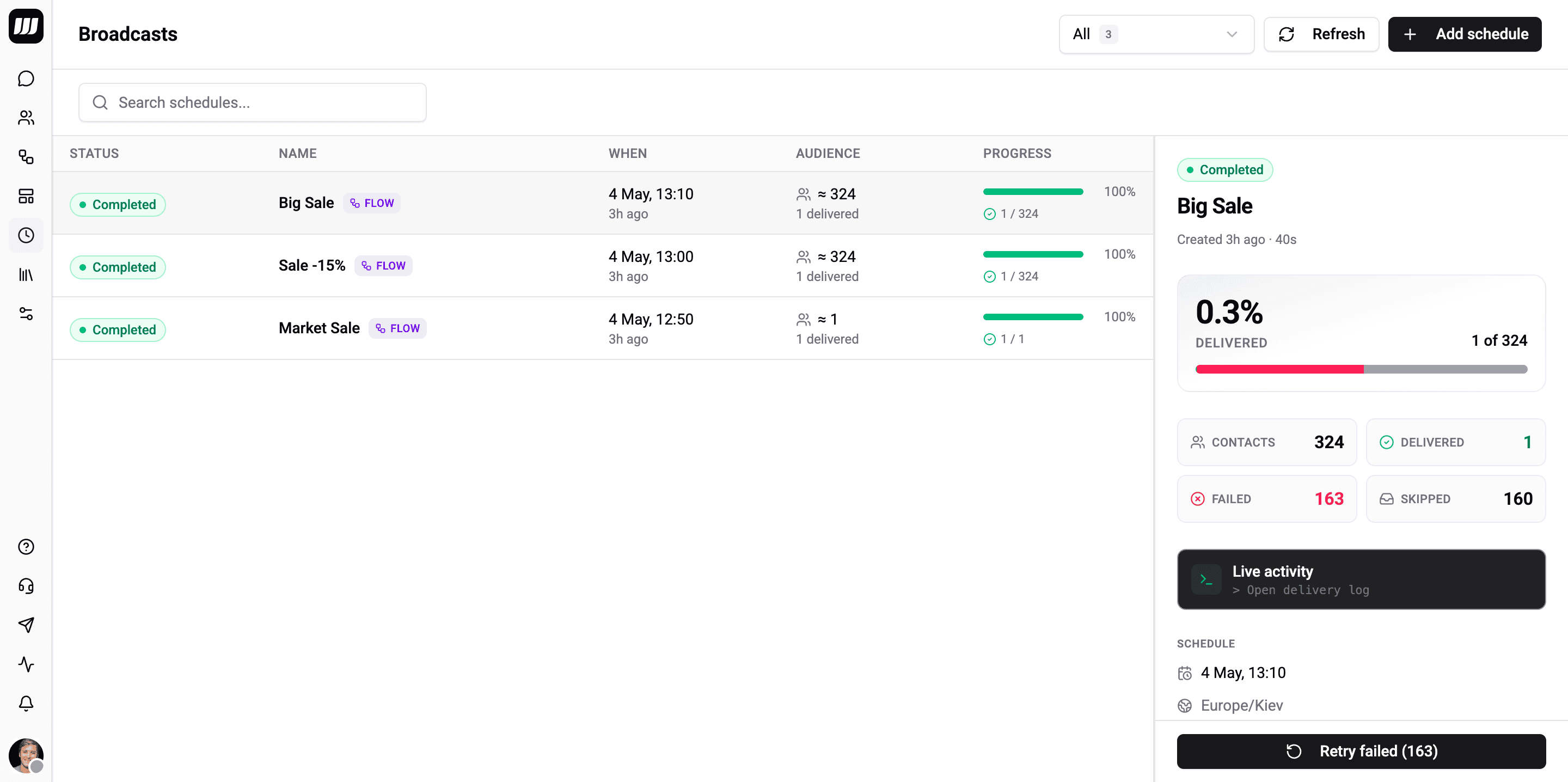
Pick a flow or a WhatsApp template, choose when it fires, filter the audience, and let Wexio handle the fan-out. Per-contact history, retry-failed-contacts, WhatsApp 24h-window fallback, and sent-vs-delivered tracking are built in.

app.wexio.io/organisation/broadcasts
Broadcasts Overview
Features

Everything a Scheduled Send Should Have

Built on the same dispatch pipeline as schedule triggers - rate-limit-aware, dedup-safe, and stall-resilient. The wizard hides all of that behind four short steps.

Flow or WhatsApp Template

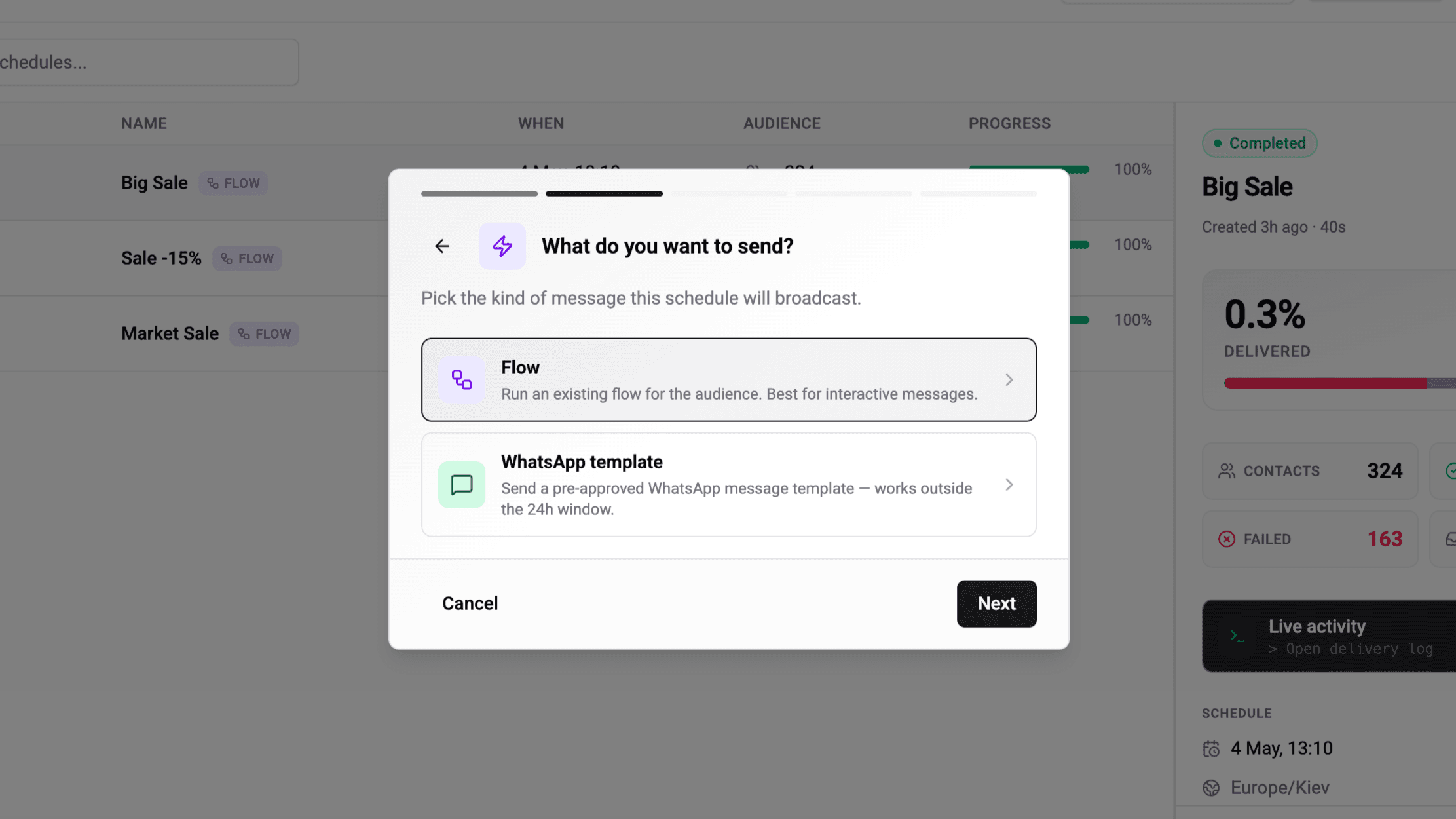
Pick a flow for rich, branched sends, or pick the template kind and configure one or more template routes - each route pairs a WhatsApp template with the integration that should deliver it. Same wizard, same dispatch pipeline.

Live Audience Preview

See the exact contact count as you build the filter. The audience is re-evaluated at fire time, so people added to the org after you schedule will be included if they match - the saved estimate and actual count are both shown after the run.

Multi-Number, Multi-Bot Routing

Run several WhatsApp numbers or Telegram bots? Template-mode broadcasts pick the route whose integration matches each contact's channel. Flow-mode broadcasts run the flow on the contact's primary channel - no manual routing needed.

WhatsApp Template Fallbacks

Attach pre-approved WA templates as fallbacks on a flow-mode broadcast. If the flow can't reach a contact through their primary channel, the dispatcher swaps to the matching template via its integration. No silent failures, no operator action.

Per-Contact History & Retry

Every contact gets a history row: delivered, skipped, or failed - with the exact provider error and timestamps. Filter to just the failures and retry them in one click - Wexio creates a new broadcast targeting only those contacts, linked back to the source for audit.

Live Counters, Live History

Broadcast-level subscriptions update status and counters without polling. Per-contact subscriptions stream dispatch events into the history table as they happen. Watch '423 / 500 delivered' tick up in real time during a fan-out.

Deep Dive

Inside Wexio Broadcasts

Everything that makes a scheduled fan-out reliable, auditable, and easy to operate.

app.wexio.io/organisation/broadcasts
Pick a Flow or a Template
1 / 2

Pick a Flow or a Template

Two send-kinds in one wizard. Operator-built flows for rich sequences with AI cards, branching, and assignments - or a single pre-approved WhatsApp template when you just need to broadcast something fast.

Frequently asked questions about Wexio Broadcasts

A Broadcast is a one-shot scheduled send: 'deliver this to everyone matching this filter at this moment in time.' A trigger fires in response to an event - a message received, a field changing, a webhook arriving. Broadcasts fire at a clock time and never recur; for a repeating campaign you create another Broadcast. Recurring schedules belong inside flows, not on Broadcasts.

Schedule your first broadcast in two minutes

Pick a flow, set the time, and let Wexio handle the rest. Per-contact history, retry-failed, and WA-window fallback are on every plan that includes Broadcasts.