 Chatbot Best Practices
·10 min read
The Complete Guide to WhatsApp Business Messaging in 2026
Master WhatsApp business messaging in 2026. Learn setup, message templates, pricing, and strategies to engage customers effectively.
Read article
Why start from scratch? Browse our library of WhatsApp marketing templates and ready-made automation flows. Copy to your organization with one click, customize messaging for bulk campaigns, support, or lead capture, and launch in minutes.
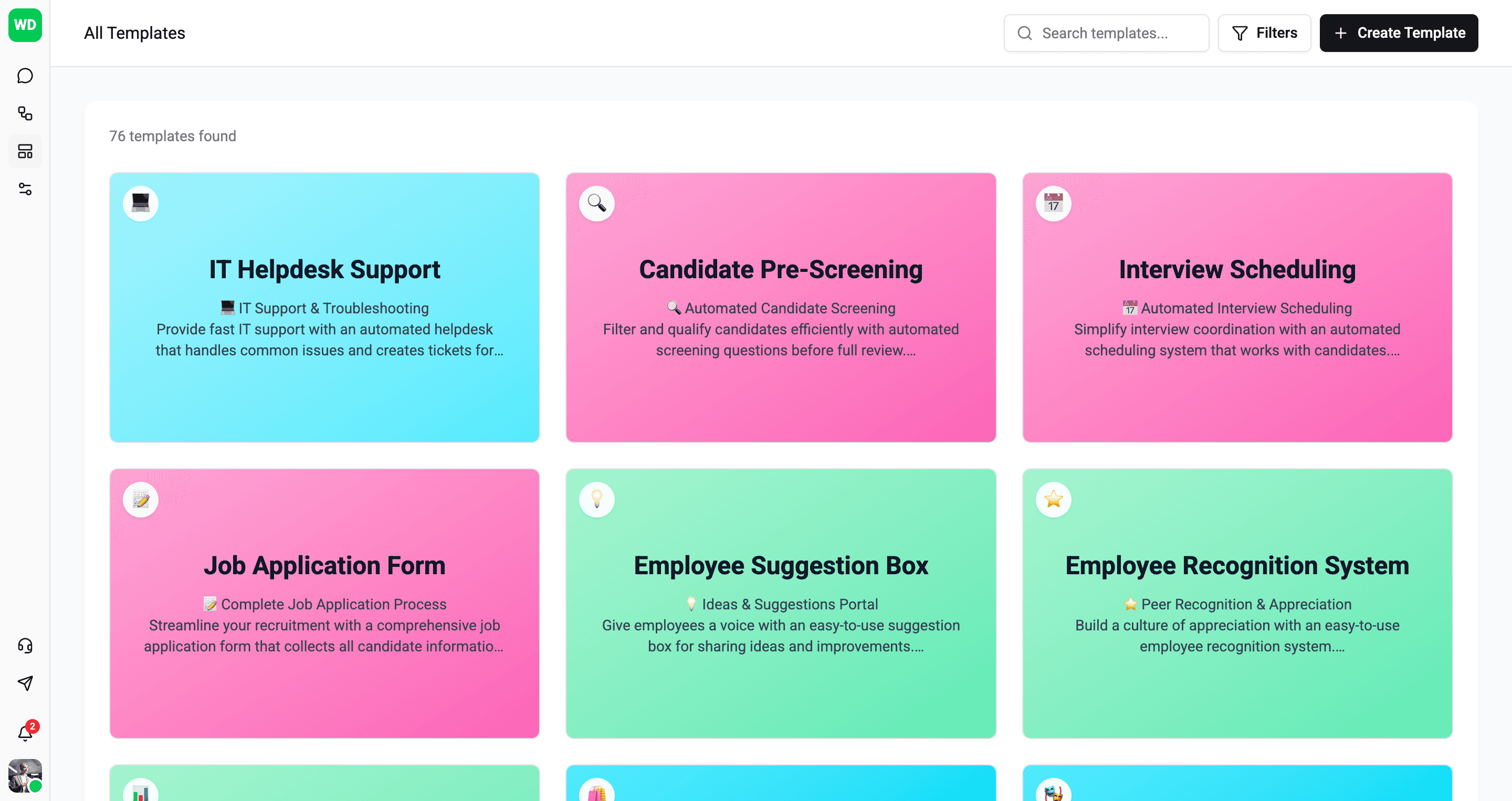
Our template library covers common automation needs so you can launch quickly and customize as needed.
Handle common questions, route issues to agents, and provide 24/7 automated support for your customers.
Capture visitor information, qualify leads with smart questions, and route prospects to your sales team.
Answer repetitive questions automatically. Set up FAQ flows that handle common inquiries without human intervention.
Welcome new users and guide them through your product or service. Create engaging onboarding experiences.
Gather customer feedback, run satisfaction surveys, and collect testimonials through conversational flows.
Story bots, quiz bots, and interactive experiences. Engage users with creative conversational templates.
Turn your best flows into reusable templates for the community.
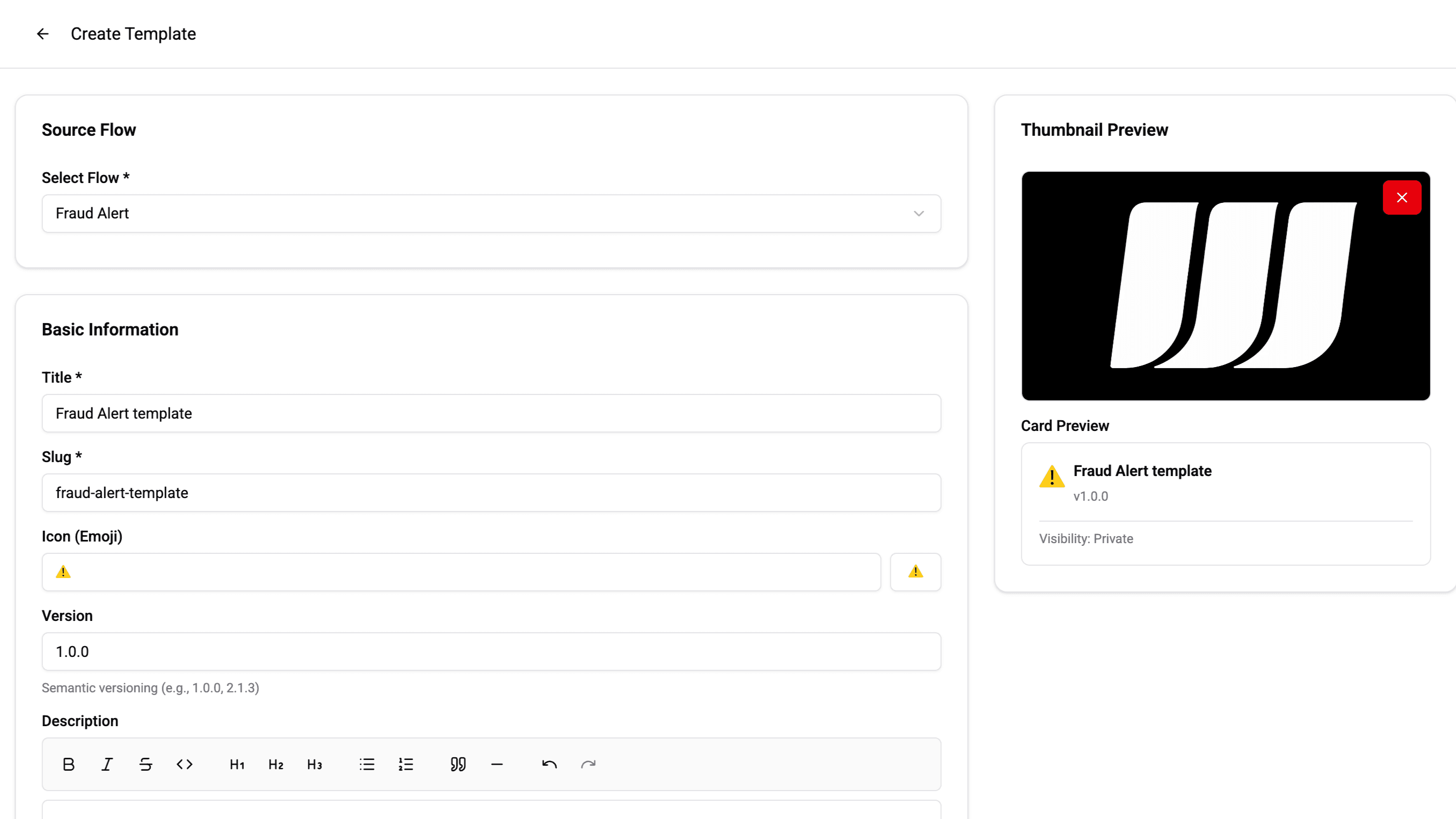
Built something amazing? Turn any flow into a template. Add a poster image, choose a category, tag it for discoverability, and publish to the library. Your templates go through moderation to ensure quality.
WhatsApp message templates are pre-approved message formats required by WhatsApp for initiating business conversations. They can include text, images, videos, documents, buttons, and dynamic variables. Templates must be submitted to Meta for approval before use.
Wexio provides a visual template editor where you can design templates with headers, body text, footers, and interactive buttons. Submit templates for Meta approval directly from the dashboard. Track approval status, manage multiple languages, and organize templates with categories.
Yes. Wexio Flow includes a dedicated WhatsApp Template card that lets you send approved templates at any point in your automation. You can dynamically populate template variables from conversation data, contact fields, or API responses.
Wexio supports all WhatsApp template button types: quick reply buttons, call-to-action URL buttons, phone number buttons, and copy code buttons. Buttons can be dynamic, allowing personalized URLs and actions per recipient.
Yes. Wexio includes a library of pre-built chatbot flow templates for common use cases - welcome messages, appointment booking, order tracking, FAQ bots, lead qualification, and more. Import a template and customize it for your business in minutes.
Meta typically reviews and approves templates within minutes to 24 hours. Wexio shows real-time approval status in the dashboard. If a template is rejected, you can edit and resubmit it directly without starting from scratch.