
Skip to content
Help Center

We're Here When You Need Us

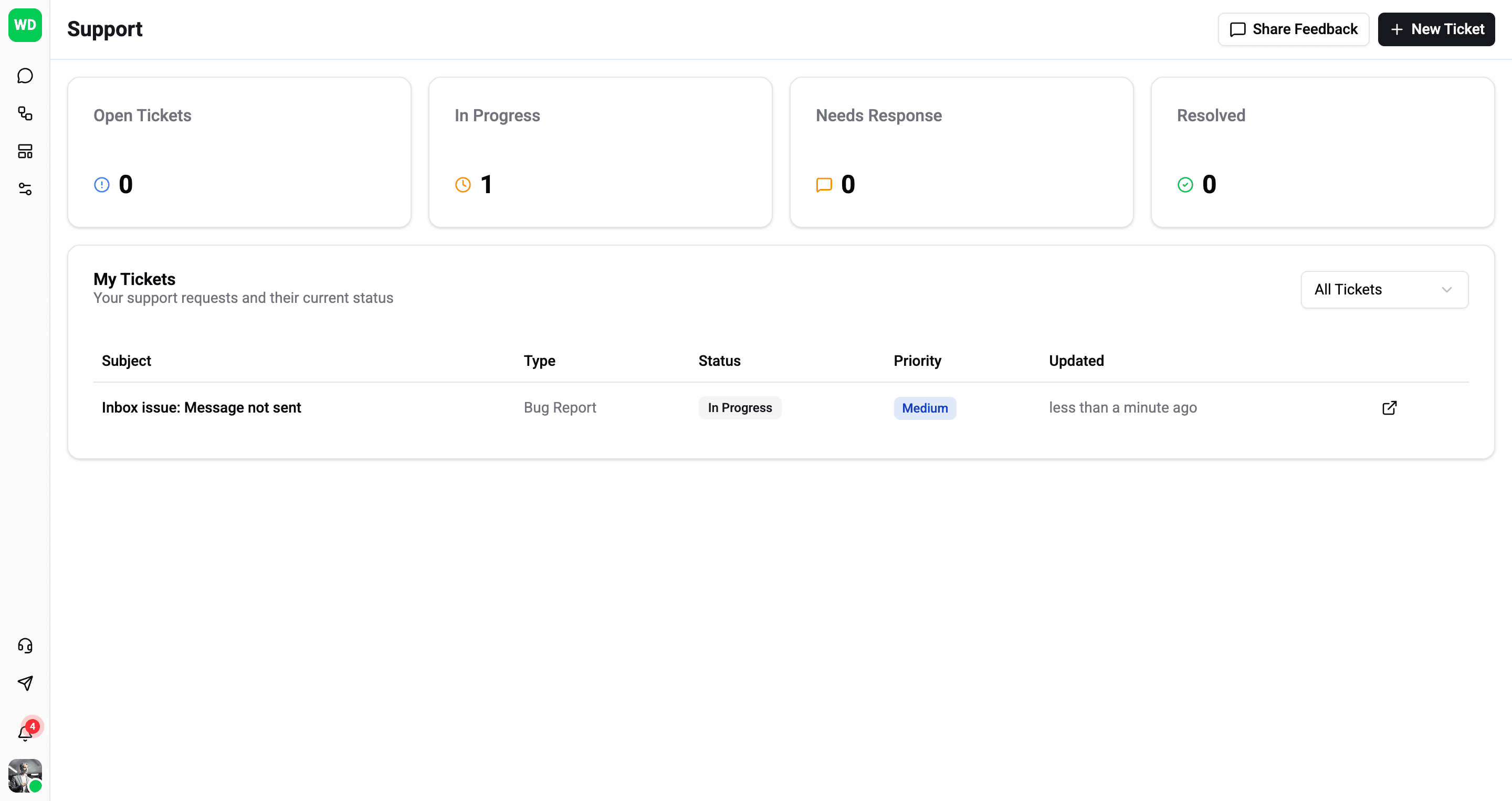
Stuck on something? Found a bug? Have an idea? Submit a ticket and our team will jump in. Track progress, add details, and keep the conversation going until it's resolved.

app.wexio.io/organisation/support
Support Dashboard
Features

Everything You Need to Get Support

A streamlined ticket system to report issues, request features, and communicate with our team.

Bug Reports

Found an issue? Submit a detailed bug report with attachments. Our team will investigate and keep you updated.

Feature Requests

Have an idea to improve Wexio.io? Submit feature requests and vote on others. Help shape the product roadmap.

General Questions

Need help or clarification? Ask questions about any aspect of Wexio.io and get answers from our support team.

Ticket Tracking

Track the status of all your tickets. See open, in progress, needs response, and resolved tickets at a glance.

Comments & Updates

Add comments to your tickets and receive updates from our team. Keep the conversation going until resolved.

Priority Levels

Set priority levels for your tickets. Mark critical production issues as urgent for faster attention.

Activity & Comments

Stay in the Loop

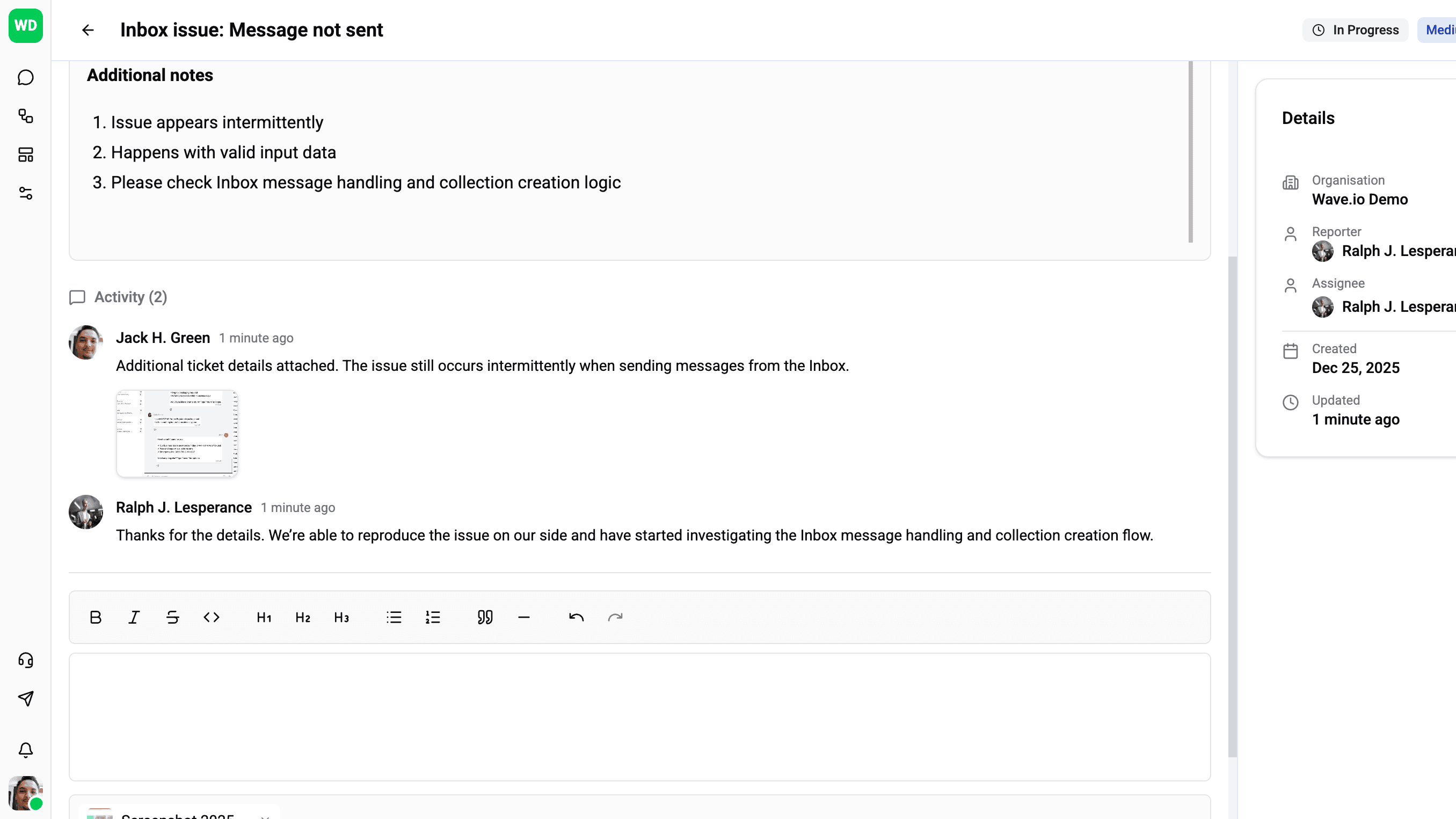
Every ticket is a conversation. Keep the context in one place.

app.wexio.io/organisation/support
Keep the Conversation Going
1 / 1

Keep the Conversation Going

Every ticket has a full activity thread. Add comments, attach screenshots or files, and keep all context in one place. Our team responds directly in the ticket-no email ping-pong required.

Frequently asked questions about Wexio Support

You can submit a support ticket directly from the Wexio Help Center. Choose the category that fits your issue - bug report, feature request, or general question - and our team will respond as quickly as possible.

Wexio offers support through the in-app Help Center and email during business hours. Priority support with faster response times is available on higher-tier plans.

Yes. Every ticket you submit is tracked in your Help Center dashboard. You can see current status, add follow-up messages, attach files, and receive email notifications when your ticket is updated.

Use the bug report form in the Help Center. Include steps to reproduce the issue, expected vs actual behaviour, and any screenshots or recordings. The more detail you provide, the faster our team can investigate and resolve it.

Absolutely. Submit feature requests through the Help Center. Our product team reviews all requests and uses them to prioritize the roadmap. You'll receive updates when your requested feature is planned or shipped.

Yes. Wexio provides comprehensive documentation covering setup guides, API references, chatbot building tutorials, and best practices. Access it from the Help Center or the docs section of our website.

Capture every moment with your customers