INTRODUCING WAIT TIMEOUT - REPLY DEADLINES FOR YOUR FLOWS
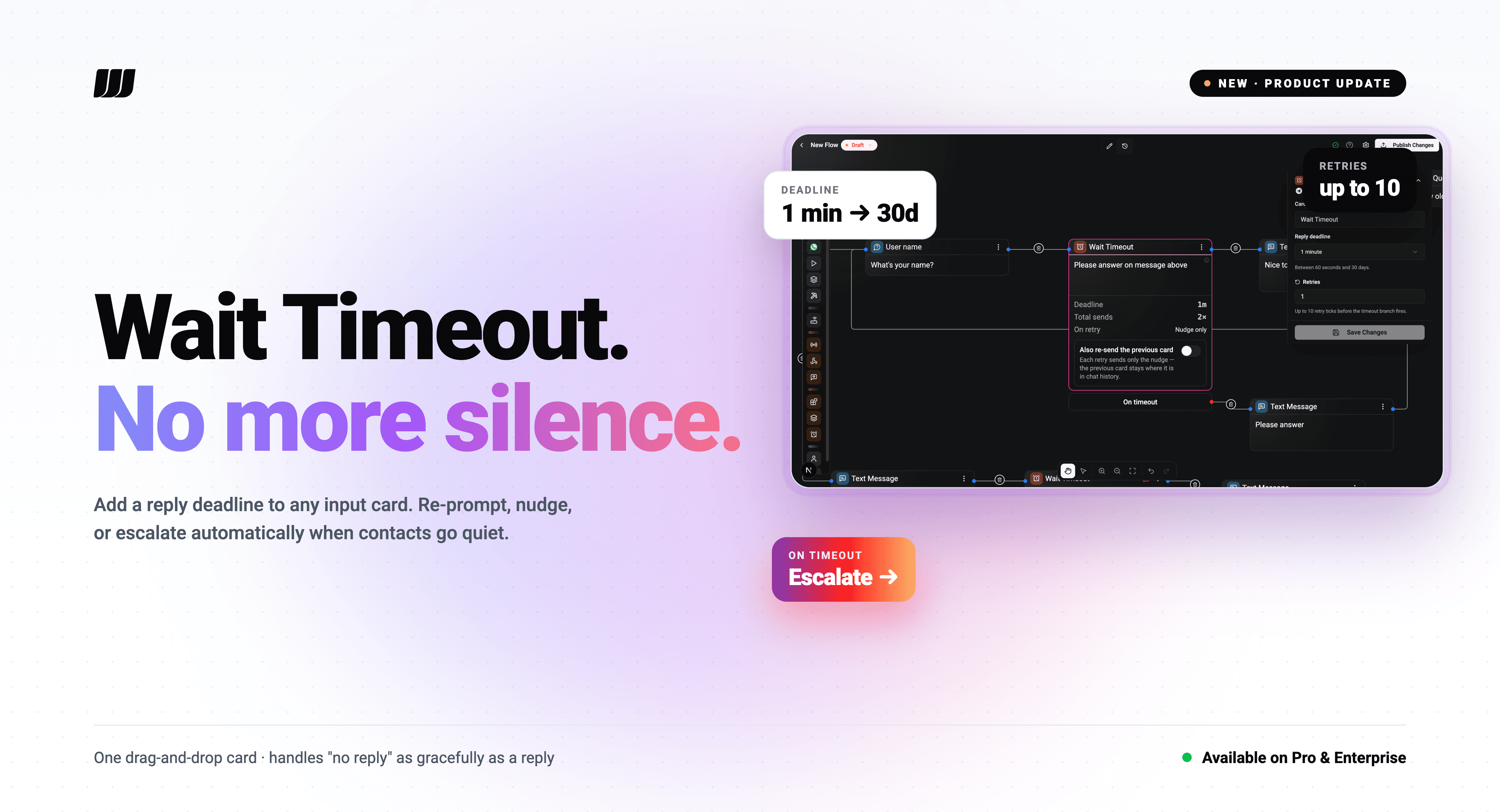
Every conversation has a moment where the contact goes quiet. Until now, your flow waited forever in that moment. Wait Timeout fixes that with one drag-and-drop card.
WHAT IT DOES
Place a Wait Timeout card after any input-receiving card - Question, Buttons, AI Classification, WhatsApp List, Catalog, Product, AI Agent. The flow gives the contact a configurable window to interact. If they reply, the flow continues normally. If they don't, the flow takes a different path: an escalation, a re-engagement nudge, or a clean exit.
No more paused runs. No more conversations that stop existing in the middle.
HOW IT WORKS
⏱ Set a deadline - anything from 1 minute to 30 days. Pick from presets (1m, 5m, 15m, 1h, 1d, 7d) or type a custom value. The wait fires within ~15 seconds of the deadline (we poll on a tick).
🔁 Configure retries - re-prompt the contact up to 10 times before final timeout. Total messages sent equals 1 + retries.
✍️ Type an optional nudge - "Are you still there?" or anything else. Sent on each retry tick. Supports template variables for personalisation.
🔁 Choose the retry payload mode:
- No nudge → re-send the previous card verbatim each retry.
- Nudge only → send a quick reminder, leave the original card in scroll view.
- Nudge + re-send → send the reminder, then re-send the previous card below it.
🚪 Wire the two outputs:
- Reply branch - what runs when the contact responds in time.
- Timeout branch - what runs after all retries are exhausted.
SAFETY NETS BUILT IN
The flow editor catches mistakes before they ship:
We'd rather show you the dead wire on the canvas than have you debug a silent failure at 2am.
COMMON PATTERNS
Re-engagement: BUTTON CARD → WAIT TIMEOUT (10 min, 2 retries, "Still there? 👇") → ASSIGN OPERATOR
Lead capture: QUESTION CARD → WAIT TIMEOUT (24h) → end the run
Survey: BUTTON CARD → WAIT TIMEOUT (5 min, 0 retries) → MARK AS ABANDONED
PLAN AVAILABILITY
Wait Timeout is available on Pro and Enterprise plans. Free, Basic and Standard tiers see it in our pricing page roadmap; upgrade to use it today.
Open any flow in Wexio, drag Wait Timeout from the Logic palette, and ship a flow that handles silence as gracefully as it handles replies.