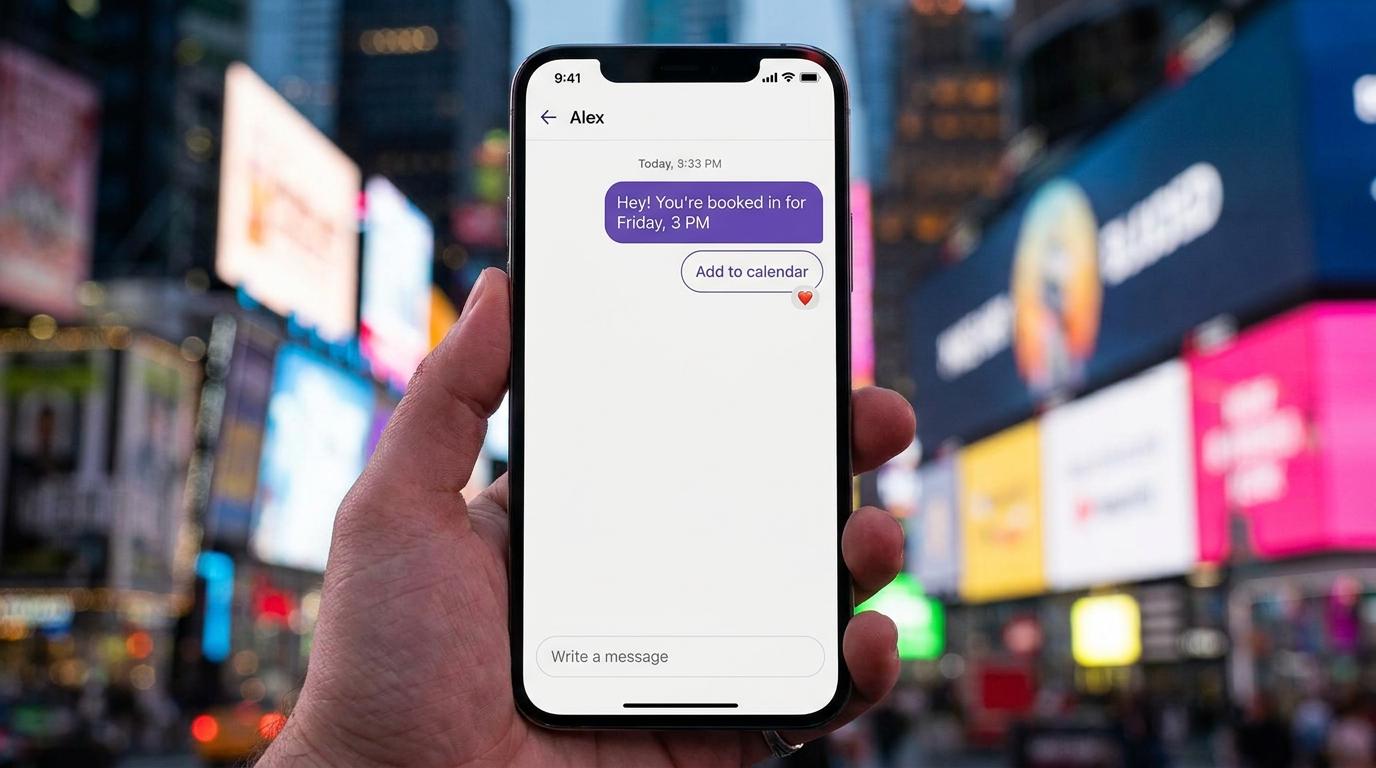
A booking page that nobody finds is a contact form with extra steps. You built it, you linked it from the footer, and visitors still phone, or write "are you free Saturday?" in the contact form and wait for your reply.
My opinion, after thinking about this a lot: for most small sites, booking inside the chat on the page works better than a separate calendar page. The visitor is already asking the question. Answering it with open times, right there, beats sending them somewhere else to start over. Below I follow one made-up salon through the whole thing, from setup to the reminder, so you can see where each piece goes.
Why a booking page nobody finds loses to a chat that asks
A separate booking page asks the visitor to do three things before they get anything: find it, understand it, and fill it in alone. Each step is a place to leave. A chat reverses that. The visitor types what they want in their own words, and something on your side does the finding and the filling in.
That matters most on small sites, where traffic is modest and every visitor with intent counts. It matters less if you have thousands of repeat customers who already know your link by heart. I'll come back to that, because it is the one case where I'd keep the page.
| Question | Separate booking page | Booking through the chat widget |
|---|---|---|
| How does the visitor find it? | They have to spot a button or a link | The chat is on the page they are already reading |
| What if they are unsure what to pick? | They guess from a list, or leave | They describe the problem and the agent works out the service |
| What if they ask a question first? | They need another channel | The same conversation answers it, then books |
| Who does the typing? | The visitor fills in every field | The agent asks for the details one at a time |
| Handling an odd request | The form has no room for it | The agent can hand the chat to a person |
| Best for | Repeat customers who know exactly what they want | First-time visitors and anything that needs a question answered |
Neither is wrong. They suit different visitors. A small business mostly gets the second kind.
Setting up Atelier Rua before anyone books
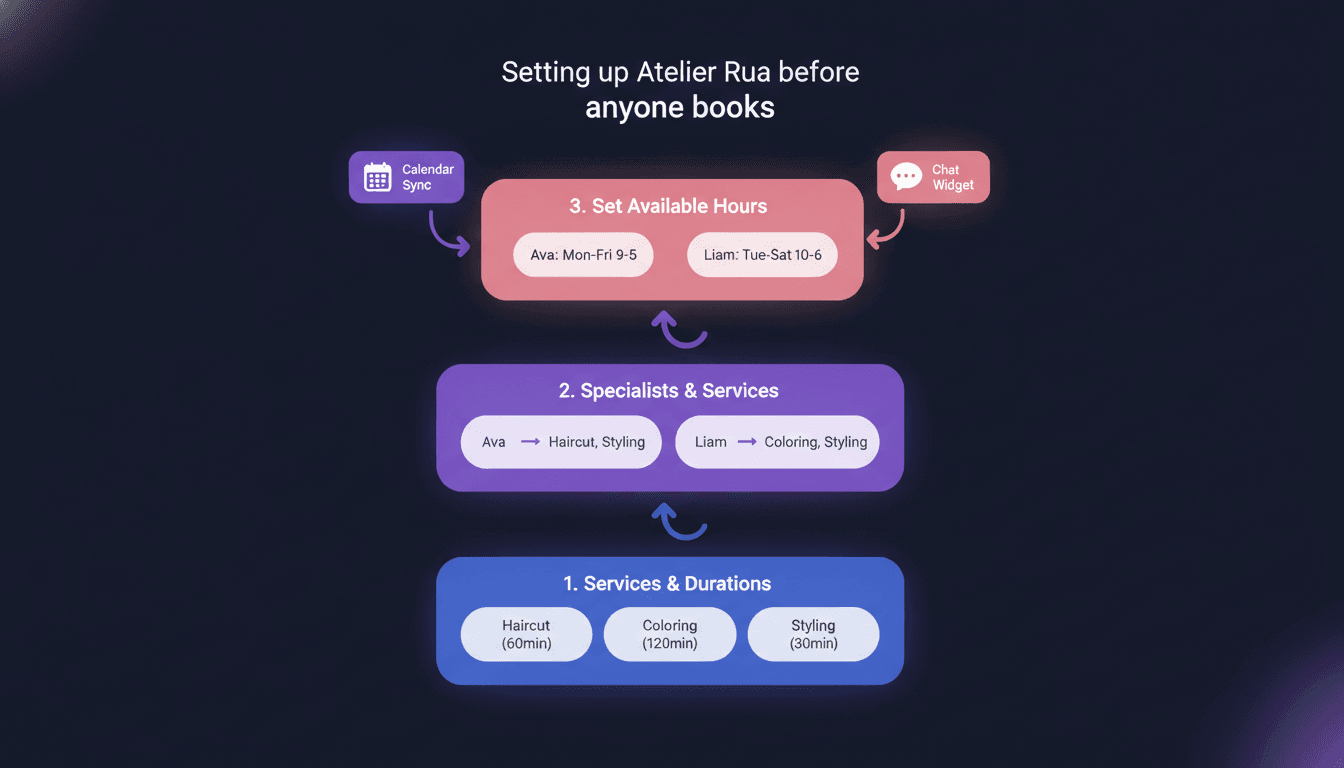
Meet Atelier Rua, a two-chair hair salon. It is an invented example, but the setup is the same for a physio clinic or a bike repair shop. The owner has a website, a contact form and a phone that rings while she has her hands in someone's hair. She wants visitors to book without calling.
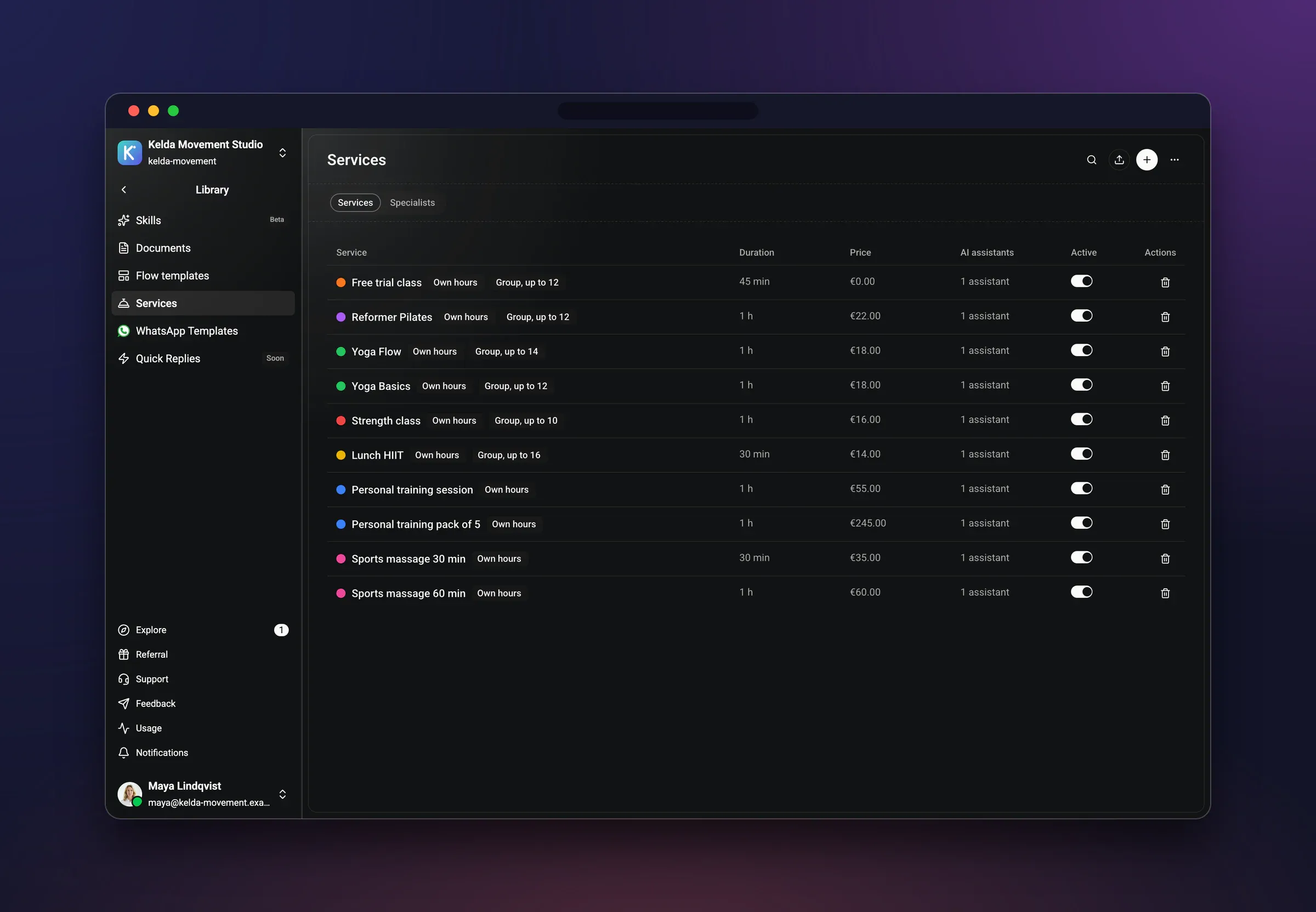
Before the agent books anything, three things have to exist. Get them wrong and the best chat in the world will offer times that don't work. Do them in this order, because each depends on the one before.
Services first
List what you actually sell, the way a customer would say it. For the salon: haircut, colour, beard trim. Give each one a length of time. A cut is shorter than a colour, and the calendar needs to know that, or the agent will happily squeeze a colour into a gap meant for a trim.
Use plain names. "Colour consultation and application" is what the owner writes. "Colour" is what the visitor types. The agent has to connect the two, and short names make that easier. If a service needs a short call or a look before you commit to it, make that a service of its own.
Specialists second
Next, the people. At Atelier Rua there are two: Inês does cuts and colour, Tiago does cuts and beard trims. So a visitor who wants a beard trim should only ever be offered Tiago's time, and one who wants colour should only be offered Inês's.
This is the step small businesses skip, then regret. If services and people are not tied together, the agent can't know who is allowed to do what. A repair shop has the same shape: one mechanic handles e-bikes, another handles the rest. A clinic has it too, with different practitioners for different treatments.
Hours third, and keep them honest
Last, when each person is available. Inês works Tuesday to Saturday. Tiago works Monday to Friday, with a late evening on Thursday. These are not the same as the shop's opening hours, and that difference is the whole point. Set each person's real availability, with breaks, and the agent offers only times that someone can actually deliver.
Then connect the calendar the salon already uses. Wexio's booking works with Google Calendar and others, so a time that is taken in the calendar is no longer offered in the chat. Block off holidays and the days the owner is at a trade fair now, not after the first customer books one of them.
Finally, put the chat on the website with the web chat widget. One snippet on the site, and the chat sits on every page. Salons with a dedicated page for hair services, or a clinic with a page per treatment, get the same chat on each.
If you run a beauty business, the beauty page shows this kind of setup in more detail.
Saturday, 15:20: one visitor, one booking
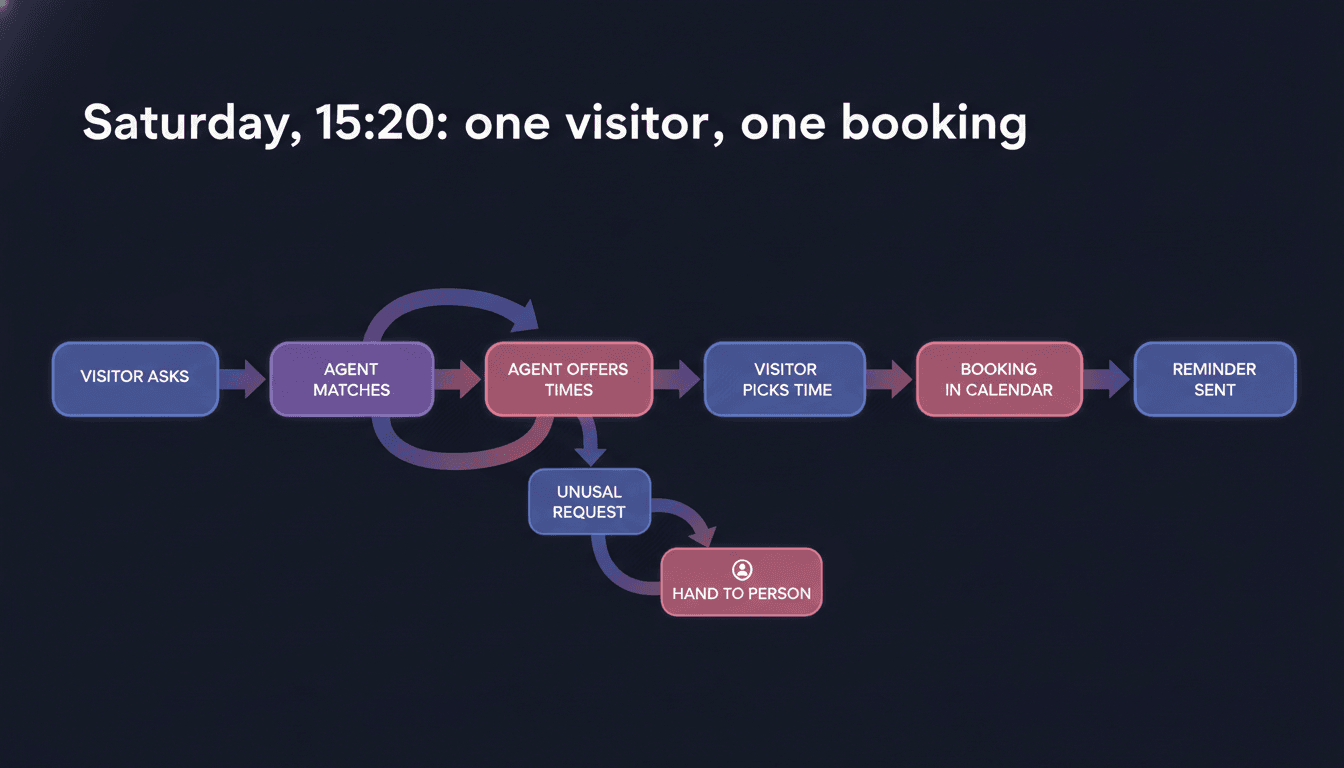
Now the visitor. Call her Marta. It is a Saturday afternoon, she is on her phone, reading the salon's colour page. She has been meaning to book for weeks. She opens the chat and types: "Do you have anything free next Saturday for colour?"
Here is what happens, in order.
- The agent understands the request. It reads "colour" as the colour service, and knows from the setup that only Inês does it. It doesn't ask Marta to choose between staff who can't help.
- It offers real open times. It looks at Inês's availability and the calendar, and replies with a few open slots next Saturday. It does not invent them and it does not list the whole day.
- Marta picks one. She types "the second one", or taps it. No form, no new page, no login.
- The agent collects her details. Name, and a way to reach her. It asks one thing at a time, the way a person at a front desk would, and it asks for what the salon needs and nothing more.
- It confirms. It repeats back the service, the stylist, the day and the time, so Marta can catch a mistake before it becomes a no-show.
- The booking lands in the calendar. Inês's Saturday now has Marta in it, with her details attached.
- A reminder goes out before the appointment. Marta doesn't have to remember, and the salon doesn't have to send a text by hand.
From Marta's side it took a few messages. From the salon's side, nobody touched anything. That is the entire promise. If it were me running the salon, the part I'd care about is step six: the time was never offered unless it was free.
One detail worth knowing: Marta can switch topics halfway. If she asks "is the colour done with ammonia-free products?" before choosing a time, the agent answers from what the salon has told it, then goes back to the booking. The same agent can answer on WhatsApp, Instagram, Telegram and Viber too, but today we are only talking about the website.
What lands on the owner's side
Monday morning, the owner opens the calendar and sees the week. Marta's colour is in Inês's Saturday, looking exactly like a booking she had made herself.
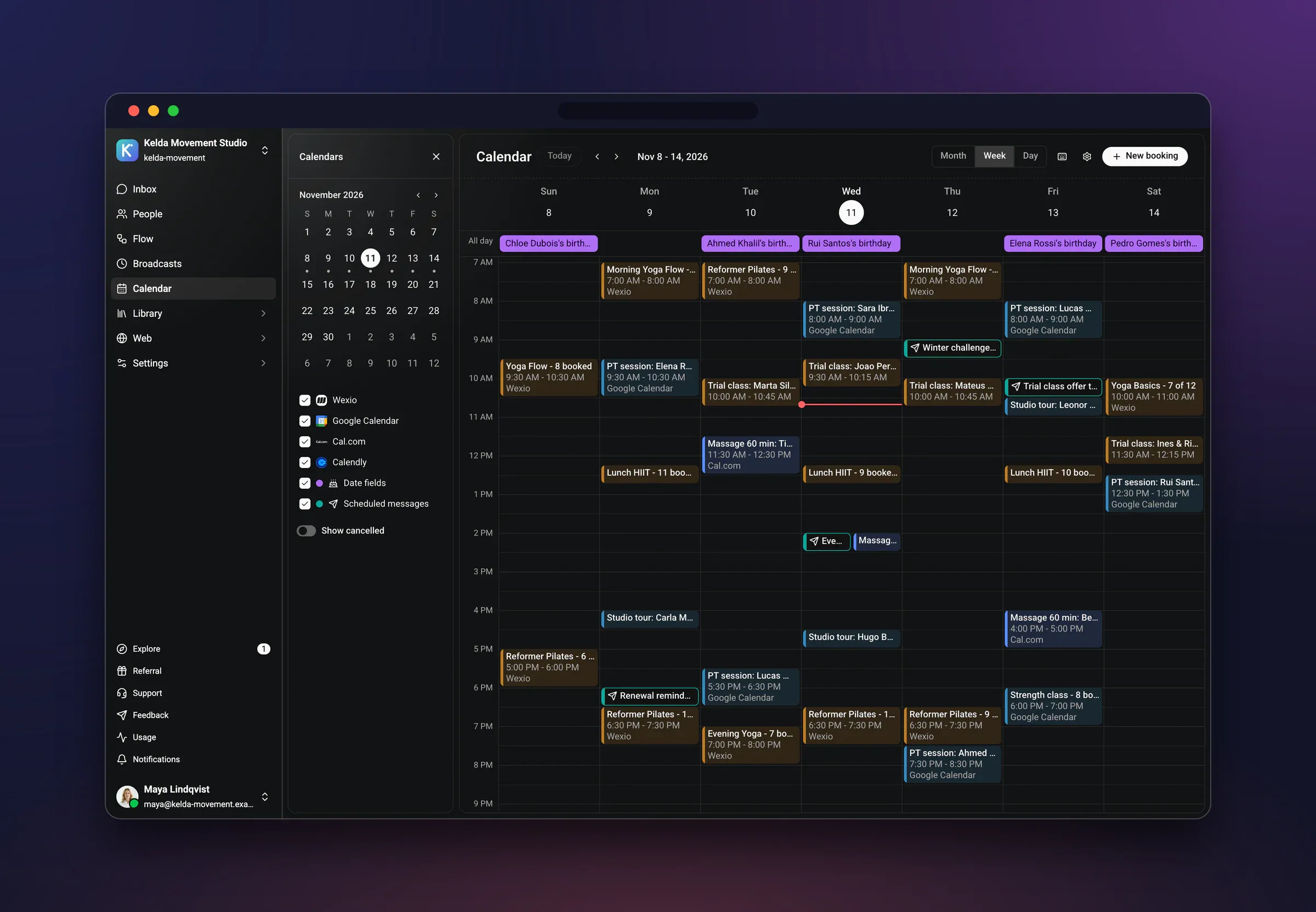
She also opens the inbox. Marta's whole conversation is there: what she asked, what the agent offered, what she picked. That matters more than it sounds. If Marta later says "I thought it was the afternoon slot," there is a record, not an argument.
Marta is also saved as a person in the CRM, with her conversation and her details attached. Next time she writes, from the website or anywhere else, the salon knows who she is and what she had last time. That is a small thing for a salon, and it is what makes the second booking easier than the first.
If the owner jumps into a chat herself, say to answer a delicate question, the agent stops answering in that conversation. A person has joined, so the agent steps back. That is the part I like best. Answers everyone. Answers to you.
The visitor the agent should hand over
Not every visitor should be booked by an agent. Take a second visitor, call him Duarte. He writes: "I coloured my hair at home last month and it went orange. Can someone fix it? I don't know how much hair is affected."
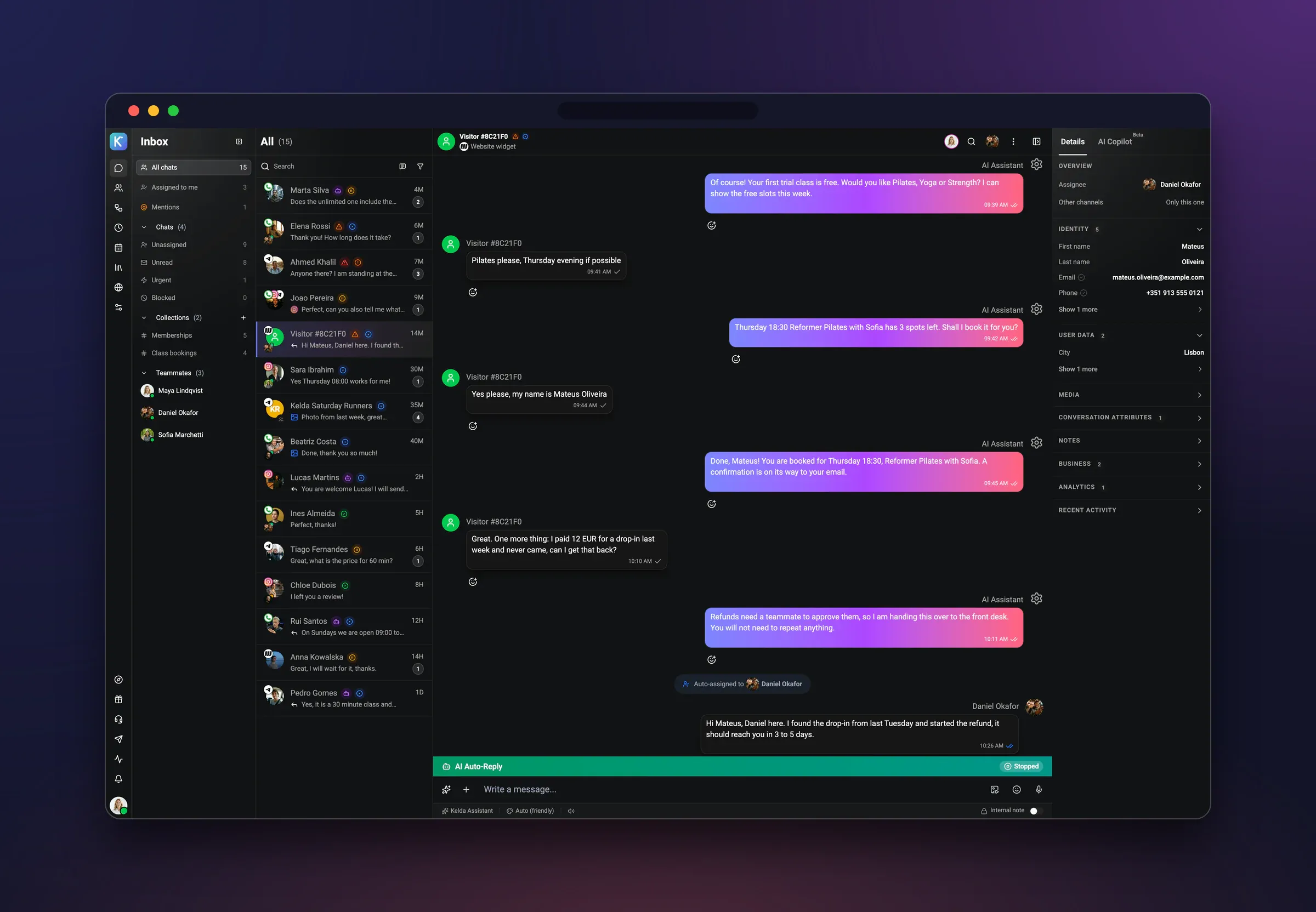
This one is not a colour appointment. It's a correction, and the right length of time depends on what Inês sees. If the agent just offers the standard colour slot, the visit will overrun, Duarte will be disappointed, and the next client will be waiting.
So the agent should know its place. It acknowledges the problem, says a person will look at it, and hands the conversation to the salon with the whole thread attached. Inês replies when she's free, perhaps suggests a short consultation first, and if she wants, books it herself. AI that knows its place is not a slogan I use for decoration. It decides whether the customer ends up happy or annoyed.
Decide your own list of handoffs before you switch the chat on. Typical ones for a service business:
- Anything where the length or price depends on seeing the problem first.
- Complaints, or someone upset about a previous visit.
- Requests for something you don't list as a service.
- Questions about health, safety or money that need a person's judgement.
- Anyone who simply asks for a human.
If you want to see how this plays out for a business that gets a lot of messages, my piece on which AI chatbot platform fits which job covers the wider picture of what an agent should and shouldn't take on.
When a separate booking page is still the right call
I said I'd be fair. A separate booking page wins in a few situations, and pretending otherwise would make this a sales page.
- You have many repeat customers who book the same thing. They bookmark the link and book in ten seconds. A conversation is slower for them, even if it's friendly.
- You need to take a deposit or payment at the moment of booking. A dedicated page built around payment may suit you better. Check what your chosen tool does here rather than assuming.
- Your services are very complicated. If a booking needs a long form with many options, a structured page can be clearer than a chat.
For many small businesses the answer is both. A booking link in your emails and on your social profiles for regulars, and the chat on the website for everyone who arrives with a question. They don't fight each other. They write into the same calendar.
What I would not do is hang a calendar page on the site, call it done, and wait. Visitors who are unsure or in a hurry don't go looking for it. They leave, or they phone, or they message you somewhere else.
If you are weighing up the cost side of running a chat at all, the breakdown in what a small business chatbot really costs a month is worth five minutes before you decide.
What to copy for a clinic or a repair shop
Strip away the hair and the pattern is the same for any service business. Here is how it translates.
A physio or dental clinic
Services become treatments: first assessment, follow-up, check-up. Specialists become practitioners, each tied to the treatments they do. Hours are each practitioner's actual clinic days. The handoff list gets longer, because clinical questions belong with a person. Have the agent book the routine visit and pass anything that sounds like a symptom to staff.
A repair shop
Services become drop-off types: bike service, puncture, e-bike diagnostic, phone screen. Specialists become the technicians who handle each. The odd request is the common one here, "it makes a strange noise", so offer a short diagnostic slot as its own service and let the agent steer vague problems towards it.
The checklist, in the order that works
- Write your services in the words customers use, and give each a duration.
- Link each service to the people who can deliver it.
- Set each person's real availability, not the shop's opening hours.
- Connect the calendar you already use, and block holidays now.
- Put the chat widget on your site, on every page, not only the contact page.
- Write your handoff list: what a person must always take.
- Test it yourself as a customer, with one easy request and one awkward one.
That last step is the one people skip. Book yourself in, then try to break it. Ask something odd. Ask in another language. Ask for a time you know is taken. Fix what you find before a real customer does.
I work on Wexio, so I'm biased, but the setup above is exactly how we built booking: services, specialists and hours first, then the agent. You can try it on the free trial at app.wexio.io, and pricing is on the pricing page. If your customers also write on WhatsApp, the WhatsApp Business rules for 2026 are worth a read before you add that channel.
Busy is good. Buried is optional.