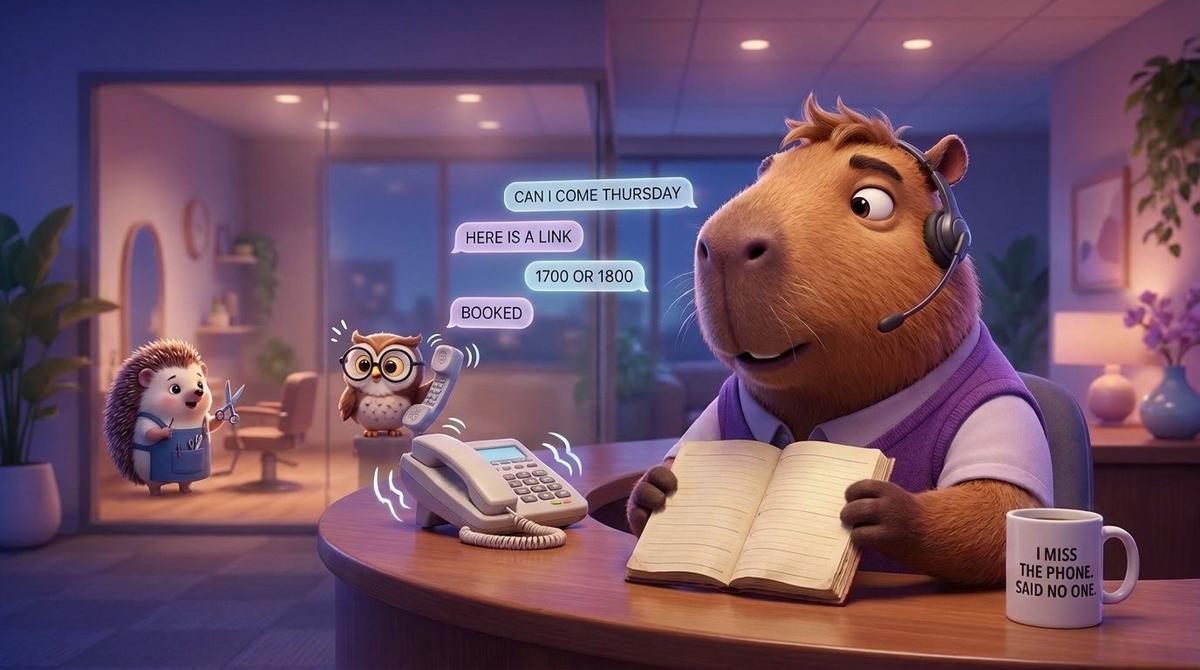
A customer writes: Can I come Thursday? You reply with a link to your booking page. She says thanks. She never taps it. Two days later she is booked with the salon down the road, the one that simply asked her which time suited.
People are not refusing to book on WhatsApp. Most setups just make them leave the chat to do it. The angle most guides skip is this: sending a link is the easy part, and it's the part that matters least. The real work is the availability behind the chat, so the customer can pick a real time without ever leaving the conversation.
Here are the things people tend to believe about booking on WhatsApp, and what actually happens when you set it up.
A booking link in the chat is the same as booking in the chat
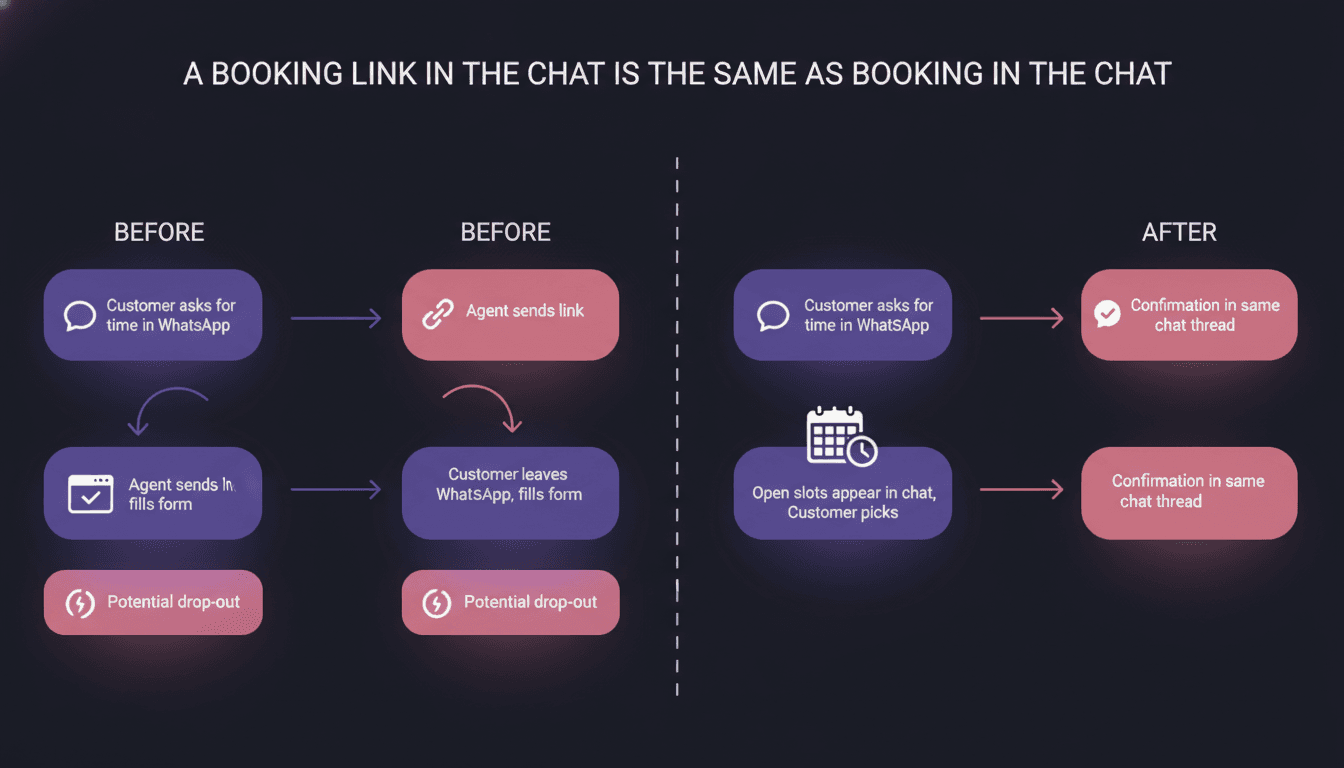
It isn't. It looks the same on your side, because both end with an appointment in a calendar. On the customer's side they are two different jobs.
A link asks her to leave a conversation she is comfortable in, open a browser, wait for a page, find her service again, and type her details a second time. Every one of those steps is a place to drop out. And she already told you what she wants, in her own words, in the chat. A link makes her say it again.
Booking inside the conversation keeps everything in one thread. She says what she wants, sees open times, taps or types one, and gets a confirmation in the same place she'll look when she needs the address.
| Sending a booking link | Booking inside the chat | |
|---|---|---|
| Where the customer ends up | A separate page, outside WhatsApp | Still in the WhatsApp conversation |
| What she repeats | Service, name, contact details | Nothing she already said |
| Who sets up availability | You, in the booking tool | You, in the calendar the agent reads |
| When the question is unusual | She is on her own with a form | The agent can answer, or hand over to a person |
| Best for | Complex multi-step booking with payment up front | Everyday appointments with a service and a time |
To be fair to links: if you need deposits, packages or a long multi-step form, a dedicated booking page is the better tool, and I won't pretend otherwise. I work on Wexio, and I'm not going to claim it replaces that. For the ordinary case, a haircut, a check-up, a screen repair, picking a time in the chat wins.
The AI agent will work out your availability on its own
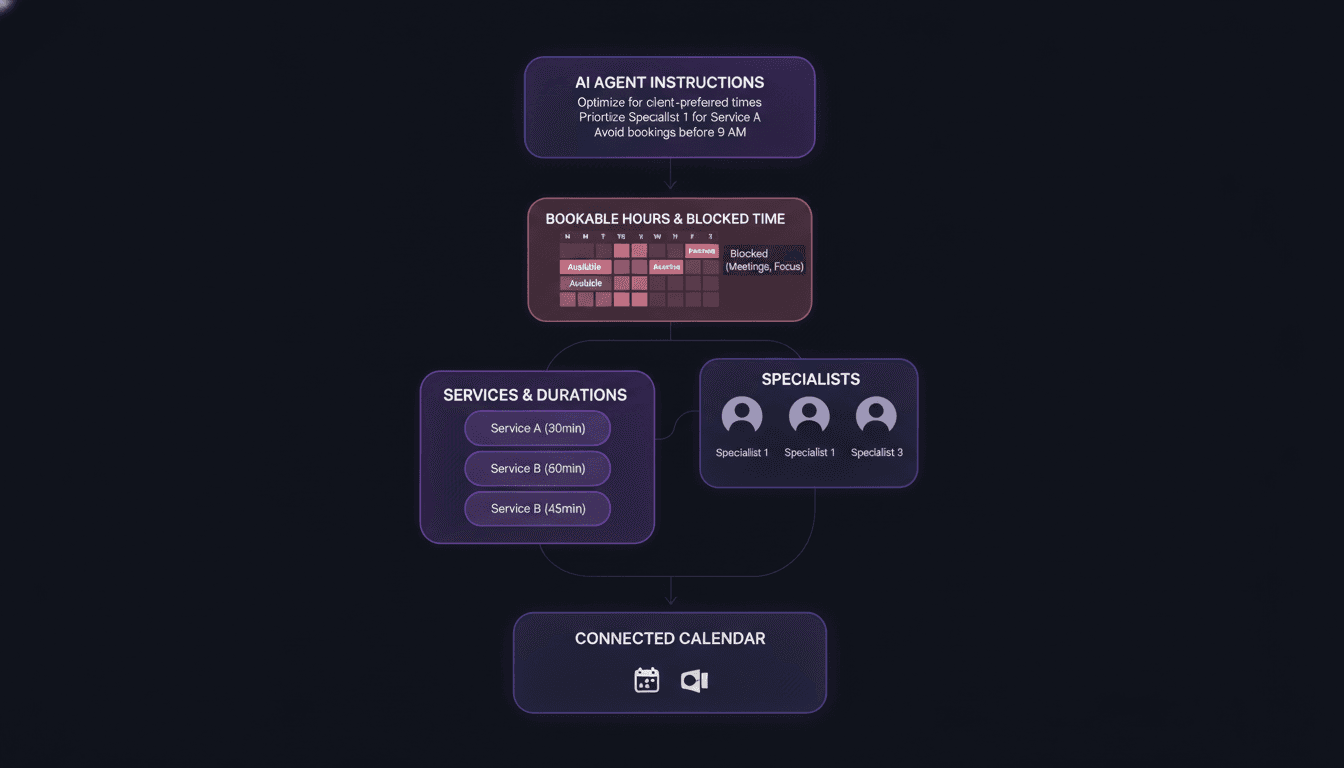
This is the belief that wrecks the most setups. The agent offers times from what you give it. If your calendar is a mess, it will offer a mess, politely and quickly.
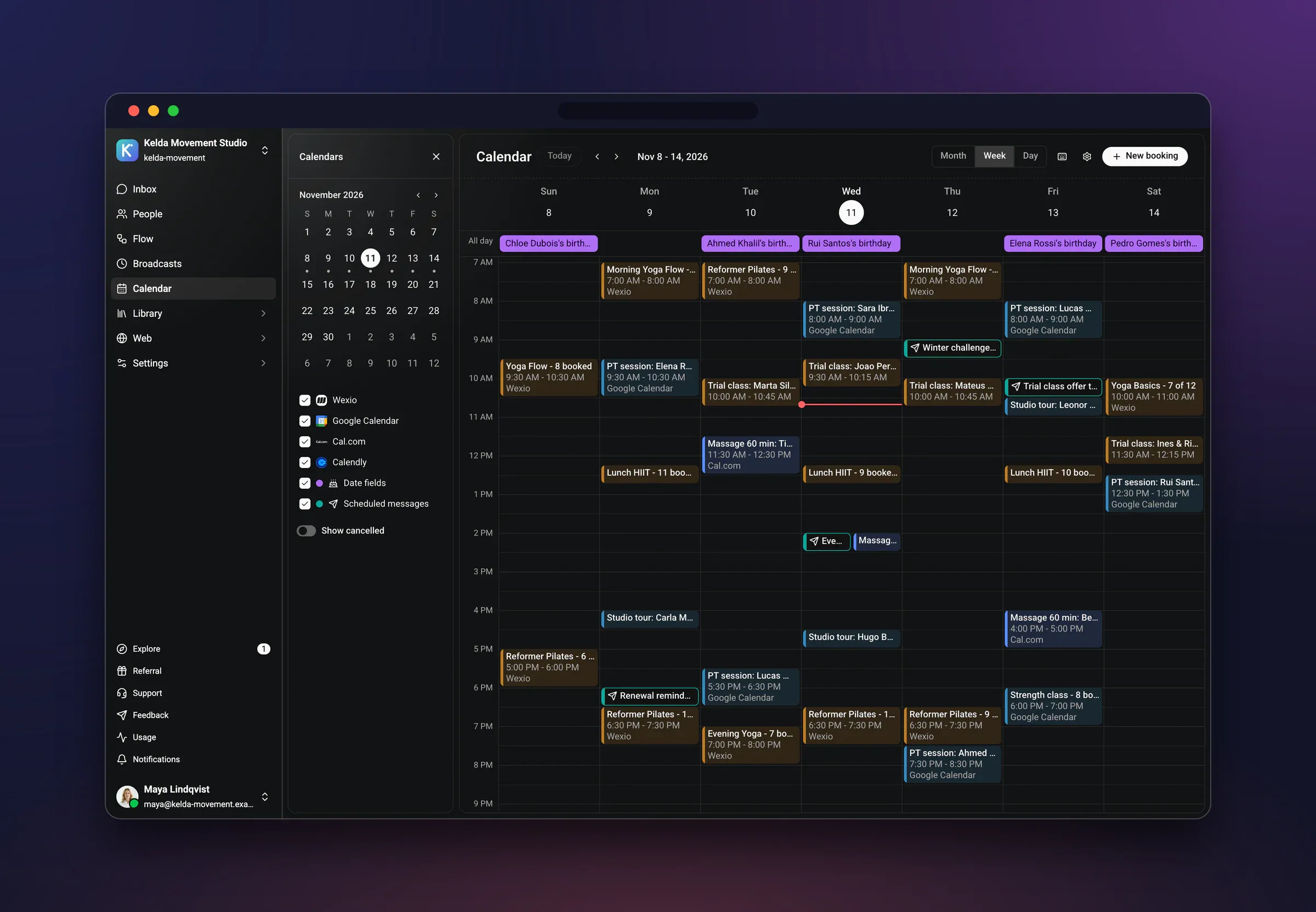
In Wexio, the AI agent books through Google Calendar and other calendars, and it does the same in the web widget. So the calendar is the source of truth. Spend your time there, not on the wording of the greeting. Here is the order I'd work in.
1. Connect the calendar the team really uses
Not a new calendar made for the bot. The one where your staff already see their day. If appointments live in one place and the agent reads another, you'll get double bookings by week two.
2. List your services, each with a duration
A cut, a colour, a consultation, a diagnostic. The duration is what decides which gaps count as open. A colour needs a long gap. A fringe trim does not. If every service looks the same length to the agent, it will offer a ten-minute hole to someone who needs ninety.
3. Say who does what
Specialists matter more than owners expect. Not everyone does every service. Some customers want one person and will wait for her. Others don't care. Decide, per service, which people can take it, and let the customer name a preference if she has one.
4. Set the times that can be booked, separate from opening hours
You may be open until 19:00 and still not want a new client starting a two-hour treatment at 18:30. Bookable time is the window in which a service can start. Block lunch, cleaning and admin time directly in the calendar so they never show up as open.
5. Add padding where the job needs it
A repair shop needs time to log a device. A clinic needs a few minutes between patients. The simplest way is to put it into the service length, or block it in the calendar. Either way, the agent never sees it as free.
6. Tell the agent what to ask, and what to leave alone
Service, preferred specialist, a name, anything you need before the visit. Then the limits: it books and confirms, it doesn't diagnose, quote complicated work, or promise outcomes. Anything past that goes to a person.
7. Test it on your own phone
Message your own WhatsApp number as a customer. Ask badly. Ask for a Sunday. Ask for a service you don't offer. You'll find the gaps in your setup in ten minutes, which is far cheaper than finding them through an annoyed customer.
Booking in a chat means a long back-and-forth
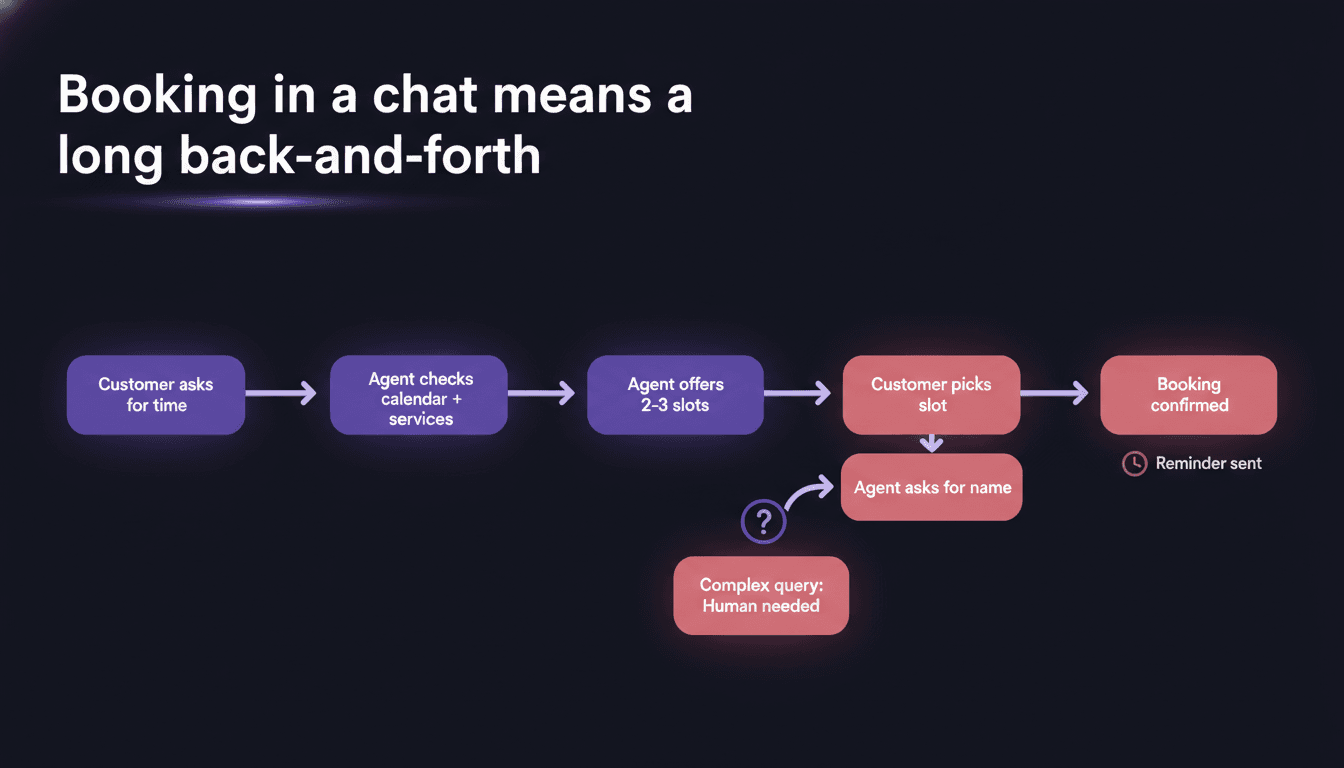
It should be short, and a good setup is. The customer shouldn't have to answer eight questions to get one time. Here is an illustrative conversation for a salon, written to show the path, not to claim any result.
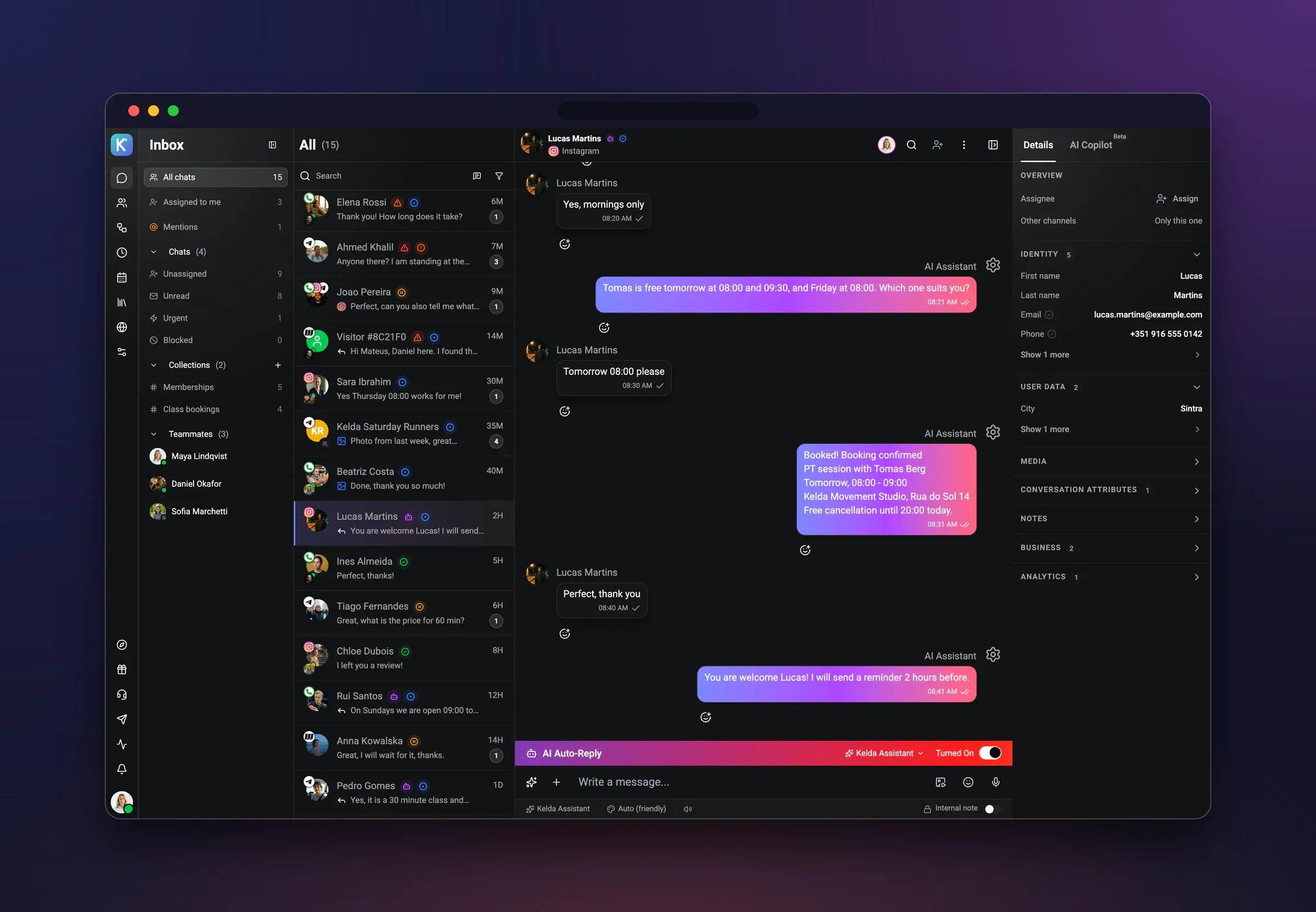
Customer: Hi, do you have anything Thursday after work? I need a cut and a bit of colour on the ends.
Agent: Hi. Yes. A cut with colour on the ends takes about two hours with us. On Thursday I have 17:00 or 18:00 with Marta, or 17:30 with Rui. Which would you like?
Customer: 17:00 with Marta please.
Agent: Done. Cut and colour with Marta, Thursday at 17:00. Can I have your name for the booking?
Customer: Inês Duarte.
Agent: Thank you, Inês. You're booked for Thursday at 17:00 with Marta. You'll get a reminder the day before, and you can write here if you need to change it.
Count the questions. One was the service, which she'd already said. The agent asked only for the name, and only after she had a time she liked. The times came from the calendar, filtered by service length and by who can do it. That is what the setup in the last section buys you: the agent isn't clever, it just has real information.
Notice the order, too. Offer a short list of times first, then collect details. People will give you a name gladly once they have a time. They resist giving it up front for a time they haven't seen.
When something doesn't fit the script, a customer asking whether a treatment suits her skin, say, the agent hands over to a person. And once a person joins the conversation, the AI stops answering. It doesn't talk over your staff. That's the part of the idea I care about most: AI that knows its place.
If the slot is taken, the booking is lost
Only if the agent gives up. A taken slot is the most normal thing in a booking chat, and what happens next is the real test of your setup.
It usually happens in one of three ways. Two people chat at the same moment and want the same time. Someone books by phone or at the counter while a chat is open. Or the customer simply picks a time that was open a few minutes ago. In all three the right behaviour is the same: say so plainly, and offer the nearest alternatives straight away.
- Same specialist, nearest times. Many customers care about the person more than the hour.
- Another specialist, same time. Others care about the hour more.
- A person, if nothing fits. A real hand-off beats a third wrong offer.
What you don't want is a dead end, a message like that time isn't available and nothing else. That is the moment she goes to the next salon.
I'd test this on purpose before going live. Open two chats on two phones, ask for the last open time in both, and see what each one says. If the second one gets a sensible answer with alternatives, you're ready. If it confirms a time that's already gone, fix the calendar connection before anything else.
Reminders are a nice extra
They are the other half of the job. A booking that is not remembered is a gap in your day. And a reminder sent in the same WhatsApp thread where the customer booked tends to get read, because it sits among the chats she actually opens.
There is one rule to know about before you build it. WhatsApp restricts the messages a business can start on its own. Inside a short window after the customer's last message you can reply freely. Outside it, a business-initiated message generally has to use a pre-approved template. A reminder the day before an appointment normally falls outside that window. So plan the wording as a template, and read my piece on the WhatsApp Business app versus the API if you're not sure what your current setup allows.
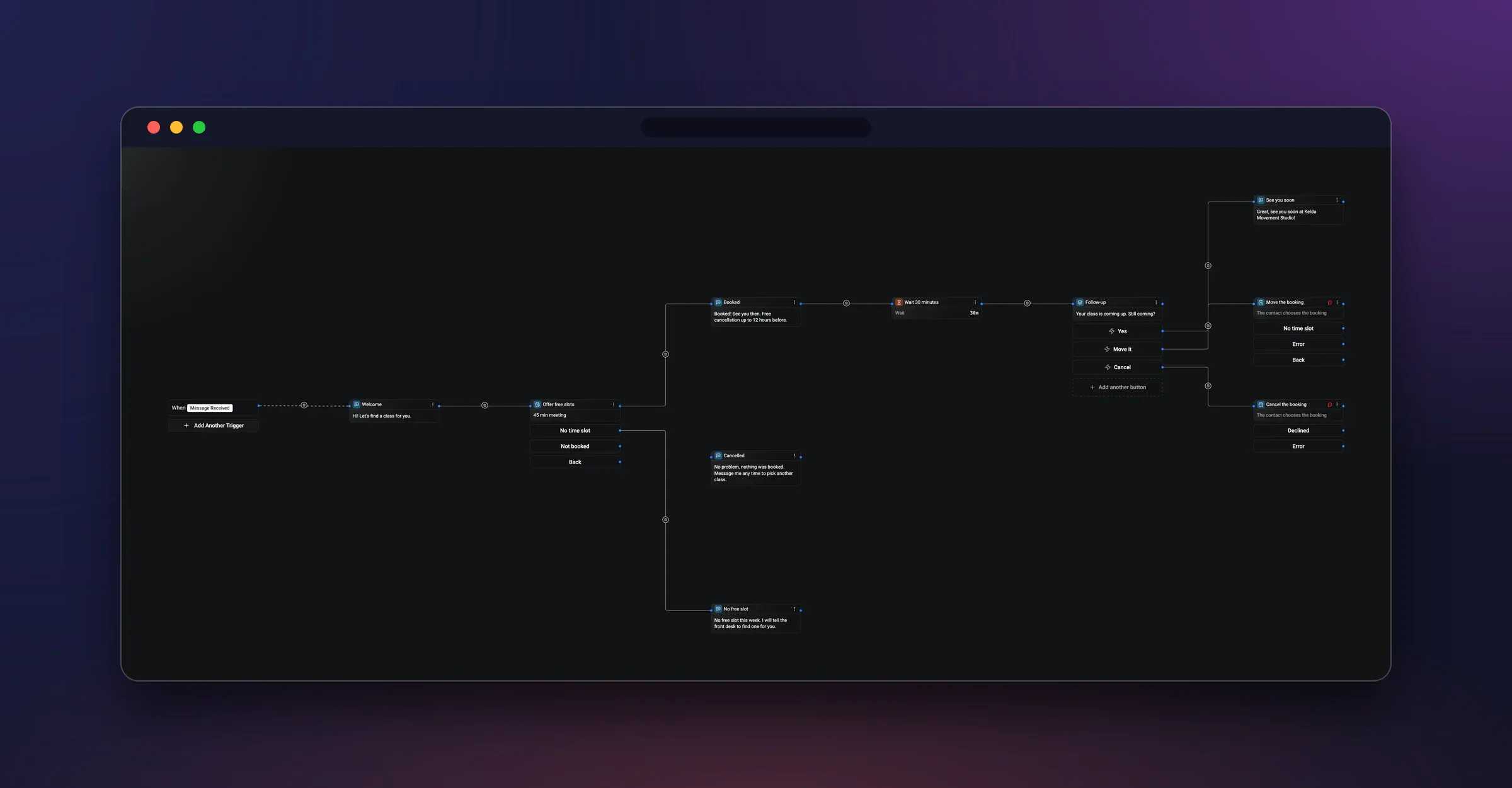
Wexio has a no-code flow builder for automations, and that's where I'd put a reminder. Whichever tool sends it, a good one does four things:
- States the service, the person, the day and the time in one line.
- Gives the address or how to find you, because that is what people look for at the last minute.
- Tells her what to do if she can't come: just reply here.
- Stays short. A reminder is not a newsletter.
Notice the third point. A reminder that invites a reply turns a would-be no-show into a free slot you can offer someone else. A reminder that sounds like a final notice just gets ignored.
Salons, clinics and repair shops book the same way
The mechanics are the same. The setup isn't, and it's the details that decide whether customers trust the chat.
Salons and barbers
Durations vary wildly and people are loyal to a person. So the service list and the specialist assignment from step three carry most of the weight. Add a clear line in the agent's instructions about what happens when someone isn't sure what they want: offer a consultation slot or hand over to the stylist. See how this plays out on our page for beauty businesses.
Clinics
Here the limits matter more than the flow. The agent should book and confirm, collect the details you need, and stop there. Questions about symptoms, treatments or results go to a person. Be clear in your instructions about what counts as urgent, and what the customer should do if it is. There's more on this in our medical page, and I'd keep the first version deliberately narrow.
Repair shops
The customer often doesn't know what's wrong, so the service might just be a diagnostic slot. Ask for the device and the problem in a sentence, book a drop-off time, and leave the quote for when someone has actually looked at it. A chat that gives a price from a one-line description will be wrong sooner or later, and then you have an unhappy customer and a conversation to untangle.
One line for all three: start with the two or three services that make up most of your bookings. Add the long tail later, once you've read real conversations.
Customers would rather phone, and the AI replaces your team
Some will phone, and they should be able to. Nothing about booking in chat takes the phone away. It adds a door for the people who don't want to call, and many don't, especially for a quick appointment while they're on a bus.
As for the team, the aim isn't to remove people from the booking. It's to take the repetitive part, asking when, which service, what's free, out of the day, so your staff spend their time on the customer in front of them. Busy is good. Buried is optional.
If you want to see how this reads on your own services, you can try it free at app.wexio.io. Connect a calendar, add three services, and message your own number. If you're comparing options first, our small business chatbot comparison and our look at AI chatbots by job will help you choose, and the free WhatsApp Business Web guide covers what you can do without any of it. The prices are on the pricing page.