
The right ManyChat alternative depends on why you're leaving. If the AI add-on is eating your budget, look at tools that bill AI by usage. If your customers have drifted off Instagram and Facebook, look at a multichannel inbox. If your contact list is the problem, look at flat or self-hosted pricing. And if you live in Instagram DMs and barely touch AI, stay where you are.
The invoice that sends people searching is rarely the first one. It's the fourth or fifth, the month someone switched on AI replies because "do you ship to Canada" and "does this run small" had been typed four hundred times. The plan didn't change. The bill did.
So I've sorted the alternatives by the reason you'd leave, not by feature checkboxes. Full disclosure: I build Wexio, so weigh my picks accordingly. Everything said about other tools comes from their public pricing pages, and you should check those before deciding, because pricing pages move.
ManyChat alternatives at a glance, by reason for leaving
Find your row first. The rest of the article goes deeper on each one.
| Why you're leaving | What to look for | Where to look |
|---|---|---|
| AI costs more than the platform | AI billed by usage, or you pay the model directly | Botpress (open source, self-hosted), or any tool whose AI line you can read in advance |
| Customers aren't only on Meta | One inbox across WhatsApp, Telegram, Viber, web chat and email | Wexio |
| Per-contact pricing | Flat or usage-based plans, or self-hosting | Chatwoot, Typebot, Botpress, flat-priced plans such as Chatfuel's |
| Instagram and Facebook first, light AI | Nothing. Stay. | ManyChat |
| Facebook Messenger is your main channel | A tool built around Messenger | Not Wexio. We don't support Messenger. |
If you arrived searching "manywise alternatives", I'm assuming you mean ManyChat-style DM automation. The same sorting applies.
When the AI add-on costs more than the platform
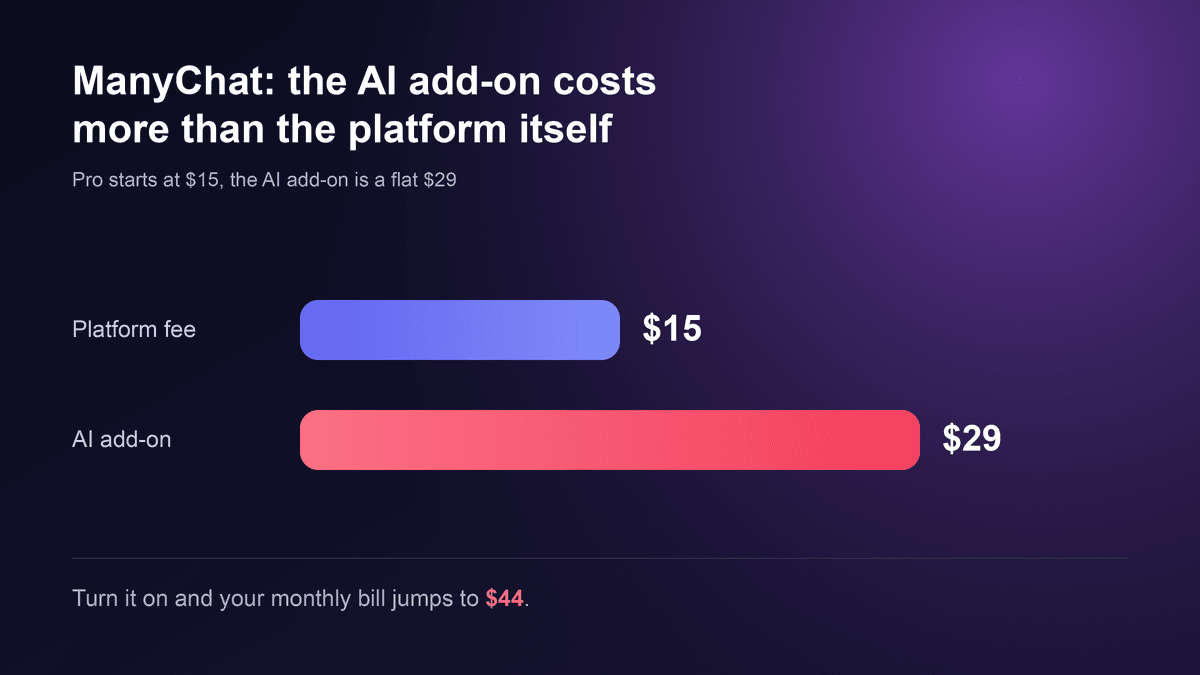
This is the reason I hear most. According to ManyChat's pricing page, the Pro plan starts at $15 a month and climbs with your contact count. The AI add-on, when I last compared, was a flat $29 a month on top, whether you have 300 contacts or 3,000. Do the sum for a small shop on the entry plan and you get $44. The AI cost nearly double the platform it was added to.
Read the current page before you decide. Figures like these change, and the shape matters more than the exact amount: a flat markup on AI hurts most when you're small and the AI is doing the unglamorous work.
For an online store that work is very specific. Shipping times, sizing, whether an order has left the warehouse, how a return works. Same questions, same answers, all week. That's exactly what you want AI for, and exactly where a flat add-on feels like a toll.
Three questions to ask any vendor about AI pricing
- Is the AI a separate line item, or bundled into the plan? Both can be fine. What hurts is a bundle that looks cheap on the pricing page and a separate add-on you only discover when you switch AI on.
- What counts as one unit of AI? A message, a conversation, a resolved ticket. Per-resolution pricing sounds fair until your AI gets better and your bill goes up for it.
- Can you see the number before the invoice? Ask for the pricing in writing, with your own volume plugged in.
The cleanest way to dodge a markup is a tool where you pay the language model directly. Botpress is open source and works that way if you have engineering time. The catch is that you own the hosting and the maintenance too. That's a fair trade for a technical team and a bad one for a shop owner who just wants to answer shipping questions.
For Wexio, I'm not going to quote you a figure here. Pricing sits on the pricing page, and there's a free trial at app.wexio.io so you can see what the AI does before you see what it costs.
When your customers aren't all on Instagram and Facebook
ManyChat started in Meta's world and has added channels since. The ceiling shows up the day customers start writing on Telegram or Viber, or you want a website chat and email in the same place as your DMs. In Portugal and Spain, WhatsApp is often where the real conversation happens, and fashion and footwear shops there get "is my size back in stock?" on three apps at once.
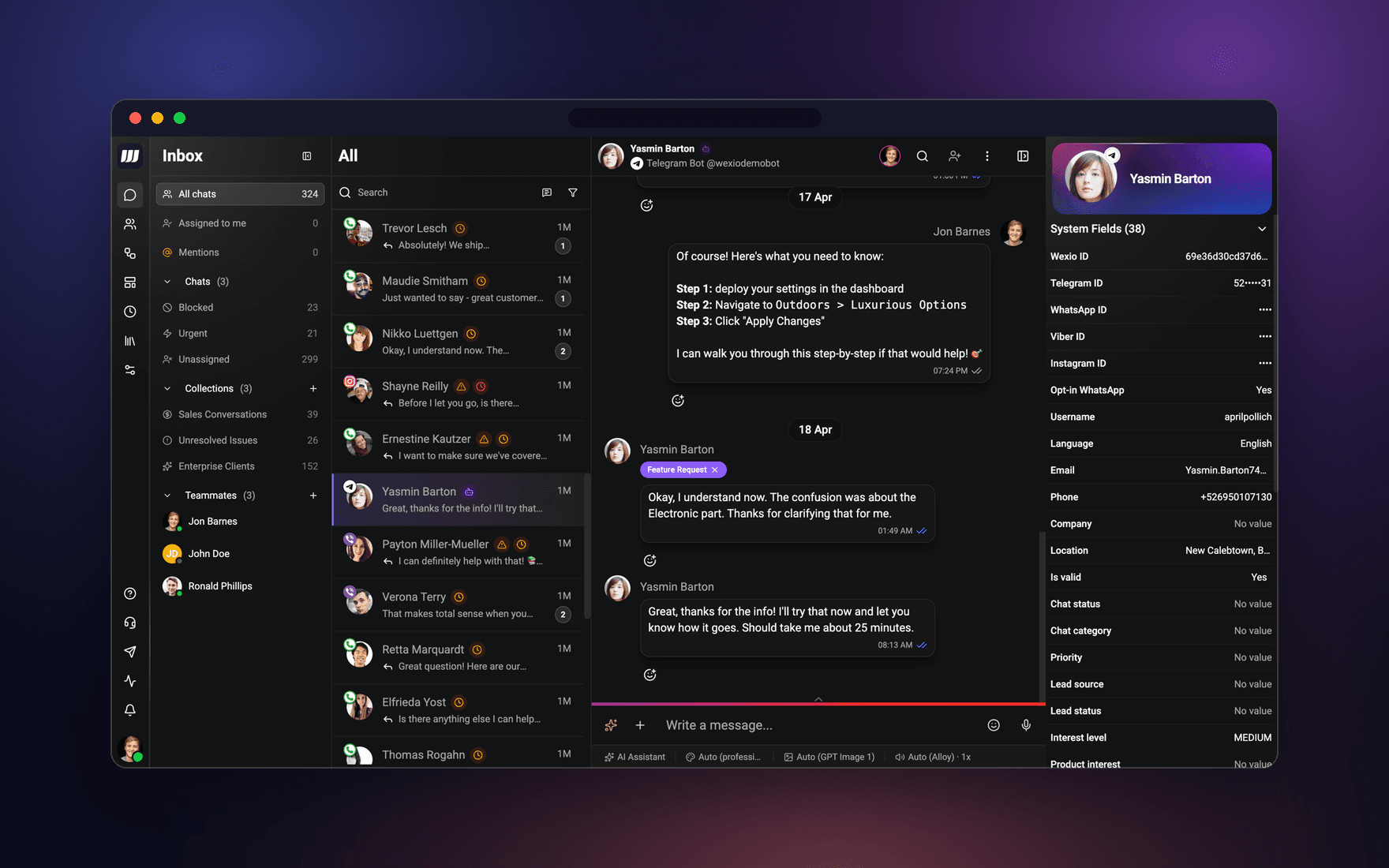
Wexio puts web chat, WhatsApp, Instagram DMs, Telegram (including Telegram Business), Viber and email in one inbox. One customer, one conversation, whichever app they used. The same AI agent and the same flows work across all of them, and a person can step in at any point. When someone from your team joins a conversation, the AI stops answering. It knows its place.
Two honest limits. First, Wexio doesn't support Facebook Messenger. If that's where your customers are, that alone may settle it, and you should look at a Meta-first tool. Second, Instagram comment-to-DM and comment moderation are built but still waiting on Meta's review, so I won't claim them. ManyChat is still the one to beat for comment automation today.
If Instagram DMs are the part you care about, I wrote a separate guide to Instagram automation tools for DMs: what to answer, book and hand off. It covers what a bot should and shouldn't touch in a DM, which this article won't repeat.
If WhatsApp is the channel pulling you away, my breakdown of WATI alternatives covers the WhatsApp-first tools in more depth.
When per-contact pricing punishes you for growing
Per-contact pricing means your bill climbs with your list, whether or not those contacts ever buy. Run a campaign, a giveaway or a good month of ads, and you've moved up a tier. Retail and DTC brands feel this hardest, because their lists grow in bursts and most contacts are browsers.
Your options fall into three types:
- Self-hosted and open source. Chatwoot is a support inbox you host yourself, so your cost is a server, not a contact count. Typebot does the same for conversational forms. Botpress is usage-based for the AI side. You trade money for maintenance.
- Flat-priced plans. Chatfuel, for example, has a single flat plan rather than contact tiers. Check its page for the current price and what the AI limits are.
- Plans priced on something other than contacts. Look for a plan that scales on usage or seats you control, and ask exactly what counts.
The pattern across all three: tools that bundle or mark up AI look cheap on the pricing page and expensive on the invoice. Tools that keep the pieces separate look the same on both. Whatever you choose, pull your last invoice and split it into platform, contacts and AI. You may find only one of those is the real problem.
If you're weighing this against a bigger shortlist, the best chatbot builder for small business compares pricing in more detail, and free no-code chatbot builders shows what free actually buys you.
A Wexio setup for a shop: answer, hand off, book
You'll also see "Wexio alternatives" searched, so here's where Wexio fits and where it doesn't, in a concrete setup.
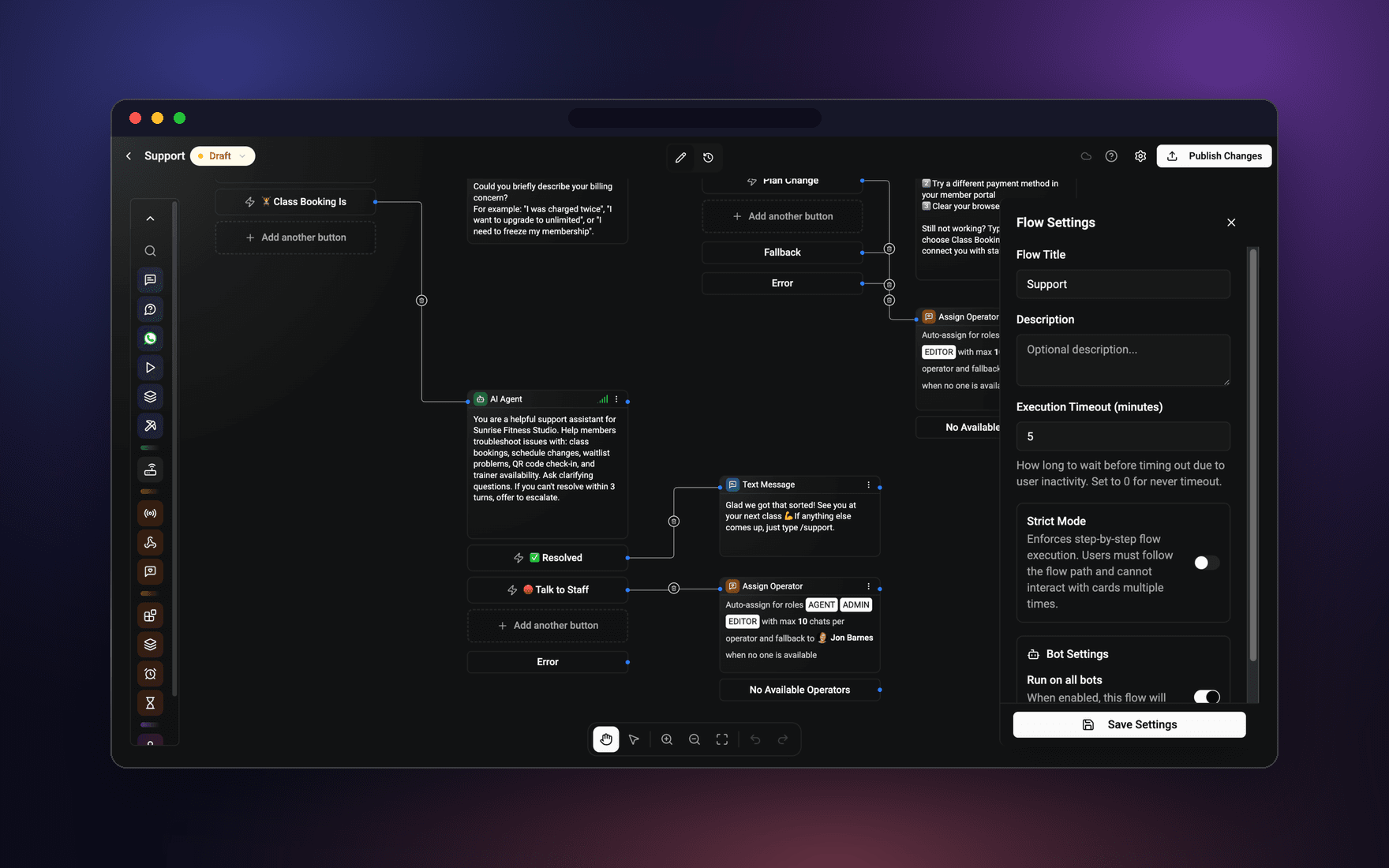
Picture a footwear shop. Customers write on Instagram, WhatsApp and the website chat. The setup I'd build in the flow builder, which is no-code:
- A flow starts whenever a new message arrives, on any connected channel.
- The AI agent answers the repeat questions: delivery times, sizing, return rules, whether something is in stock, in the customer's language.
- Anything it can't answer confidently, or anything that involves money, a damaged parcel or an upset customer, goes to a person.
- That person picks it up in the shared inbox and the AI stops answering that conversation.
If you run a consultancy or advisory business rather than a shop, the same setup ends differently. The AI agent can book a call straight into your calendar (Google Calendar and others) through the chat, or the web widget can do it. Customers ask at 11 PM, and the slot is taken before morning. The retail page shows how this looks for stores.
Beyond the AI agent and flow builder, the pieces live today are broadcasts, CRM people (contacts with their conversations and fields), and help center articles inside the web widget.
Where Wexio isn't the right fit
- You depend on Facebook Messenger. We don't support it.
- Comment-to-DM giveaways are your growth engine. Ours is pending Meta review.
- You want to self-host and own the code. Look at Botpress or Chatwoot.
- You only ever use Instagram and never touch AI. ManyChat is built for exactly that.
Browsing the wider market? Start with AI chatbots for business, by job.
Moving your flows: what actually carries over
Flows don't export from one platform to another. Anyone who says otherwise is selling a migration service. What carries over is the thinking, so before you cancel anything, write these down from your ManyChat account:
- Your keyword list. Every trigger word and the flow it fires. Merge the overlapping ones now. "price" firing one flow and "pricing info" firing another is how people end up with two replies.
- Your custom fields and tags. Things like preferred size, booking date or qualified lead become contact fields on the new platform.
- Your top five flows by traffic. Rebuild those first. The long tail can wait or die quietly.
- Anything that calls an outside service. Note the URL, the method and the fields you map, and check the new tool supports it before you commit.
- Your human handoff rule. Whatever "talk to a person" does today, it has to do on day one of the new tool. A customer stuck in a bot loop during a migration is the fastest way to lose them.
- Your opt-in lists. Permissions are channel-specific. Messenger subscribers don't become WhatsApp subscribers because you changed platforms. On WhatsApp, Meta requires opt-in before you message people first, and you'll need approved message templates. Meta's WhatsApp documentation is the source to check.
One more rule on Instagram. Free-form messages are only allowed within 24 hours of the customer's last message, per Meta's Messenger Platform docs. ManyChat builds that rule into its flows, which keeps beginners out of trouble. Check how your new tool handles it before you broadcast anything.
Budget an afternoon for the top five flows. More if you lean on outside calls.
Who should just stay on ManyChat
I'd rather lose a signup than watch someone migrate for the wrong reason. Stay if:
- You're Instagram and Facebook first and barely use AI.
- Comment-to-DM or Messenger is your bread and butter.
- You'd rather pay a bit more than spend a weekend rebuilding flows.
ManyChat is good at what it was built for. Its growth tools, like ref links, QR codes and website overlays that drop someone into a specific flow instead of a generic welcome, are genuinely well done. The right tool is the one that fits, not the cheapest row in a table.
A quick gut check before you leave: is it AI cost or contact count? Do your customers actually live outside Meta? Does two months of savings beat the migration hassle? If you answered no to all three, stay put.
FAQ
Is ManyChat's free plan enough?
For testing, yes. It stops being enough once you care about volume or AI replies.
What's the cheapest way to run AI replies?
Paying the model directly, either through a self-hosted tool like Botpress or a platform that lets you see the AI line on your bill in advance. Flat add-ons are convenient and the most expensive at small scale.
Will I lose my flows if I switch?
The flows themselves, yes. The keyword list, fields and logic carry over if you document them first. See the checklist above.
Does Wexio support Facebook Messenger?
No. It supports web chat, WhatsApp, Instagram DMs, Telegram, Viber and email. If Messenger matters most, a Meta-first tool is the better choice.
Can I try Wexio before switching anything?
Yes. There's a free trial at app.wexio.io. Connect one channel, point the AI at your shipping and returns answers, and see whether it handles a week of real questions before you move anything else.
Disclosure: I'm the founder of Wexio. The other tools here are described from their public pricing pages and docs as I read them.