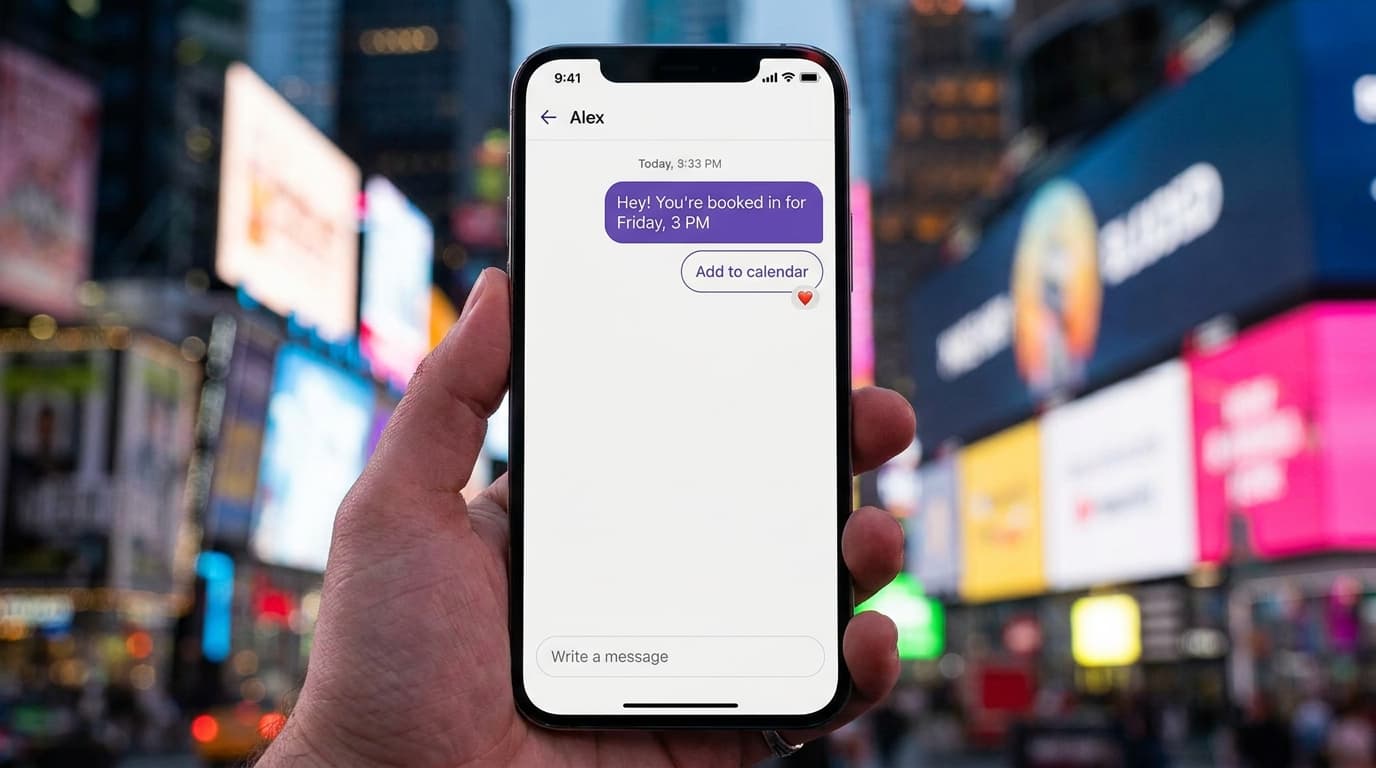
I spent a couple of years at a WhatsApp BSP before Wexio, and the support setup I saw most often wasn't a system. It was three phone tabs and a person praying nobody messaged on the fourth channel.
Here's the shape of it. A customer asks a question on Instagram in the morning. They follow up on WhatsApp at lunch because that's the app open on their phone. By the time someone on your team sees the second message, they have no idea the first one exists, so the customer explains everything twice and quietly decides you're not that organized. Multiply that by every conversation, and "we're on all the channels" becomes "we drop something on all the channels."
A shared team inbox for WhatsApp and Instagram is the fix, and it's a genuinely different thing from having both apps open. So here's the honest version: what it actually is, what separates a real one from a glorified notification center, the WhatsApp and Instagram specifics nobody explains, and how to pick one.
The problem isn't more apps. It's split context.
The instinct when you add a channel is to add an app. Now you've got the WhatsApp Business app on one phone, the Instagram app on another, and a live chat widget emailing you when someone messages the site. Three inboxes, zero shared memory.
The damage isn't the extra tabs. It's that no conversation has a full history and no teammate has visibility. Two people answer the same customer without knowing. A question sits unseen over the weekend. Someone promises a refund on Instagram that the person on WhatsApp knows was already handled. The customer experiences one relationship with your business; your team experiences four disconnected ones.
There's a well-worn number in sales that a lead is around 21x more likely to qualify if you reply within five minutes instead of waiting 30. You cannot hit that by hand when the message might land in any of four places and the right person isn't looking at that one.
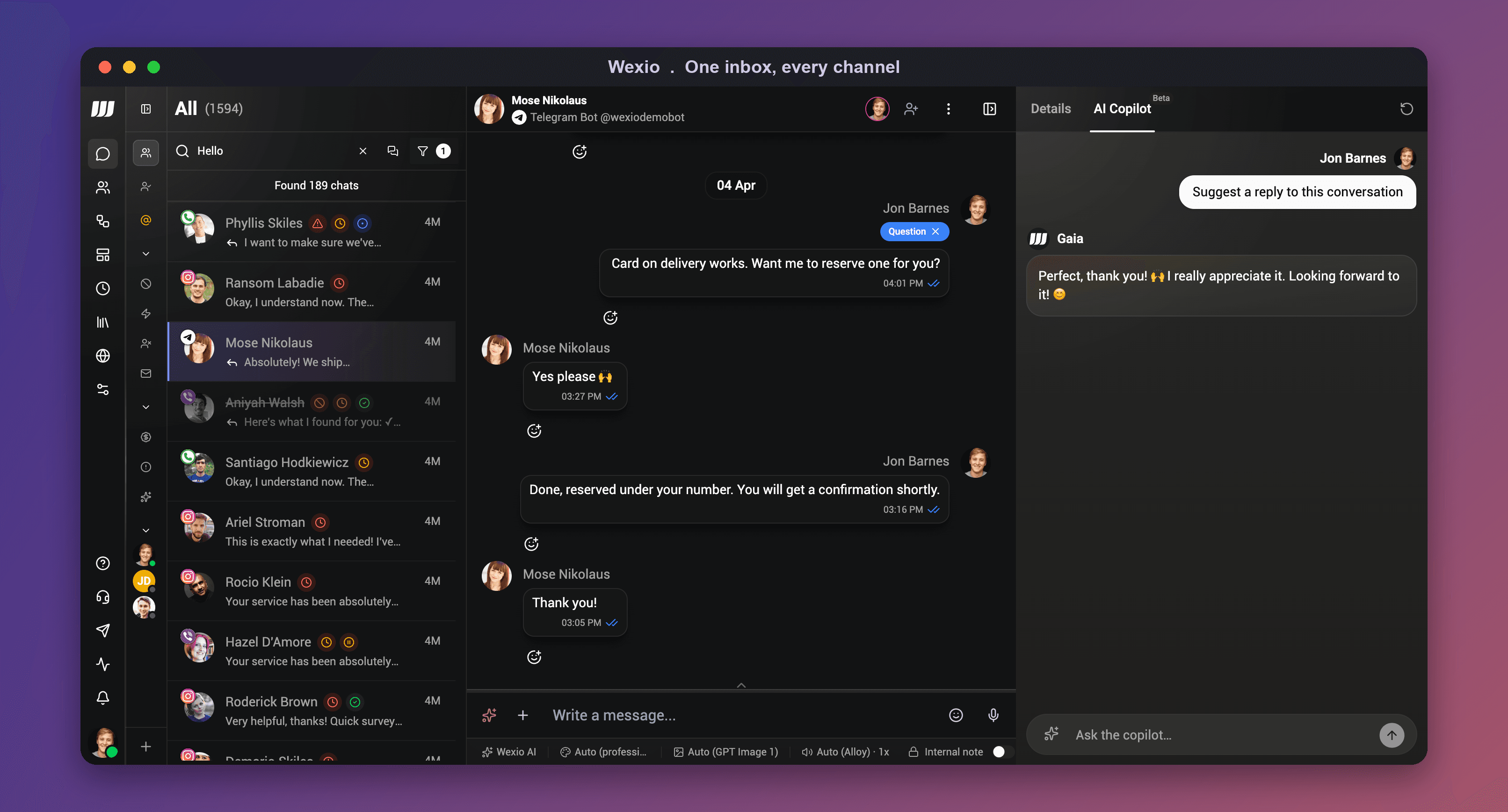 Every channel in one list, with the full customer context beside the open conversation. That's the whole point: one thread per customer, not one app per channel.
What a shared team inbox actually is
Strip away the marketing and a real shared team inbox does four things a pile of apps can't.
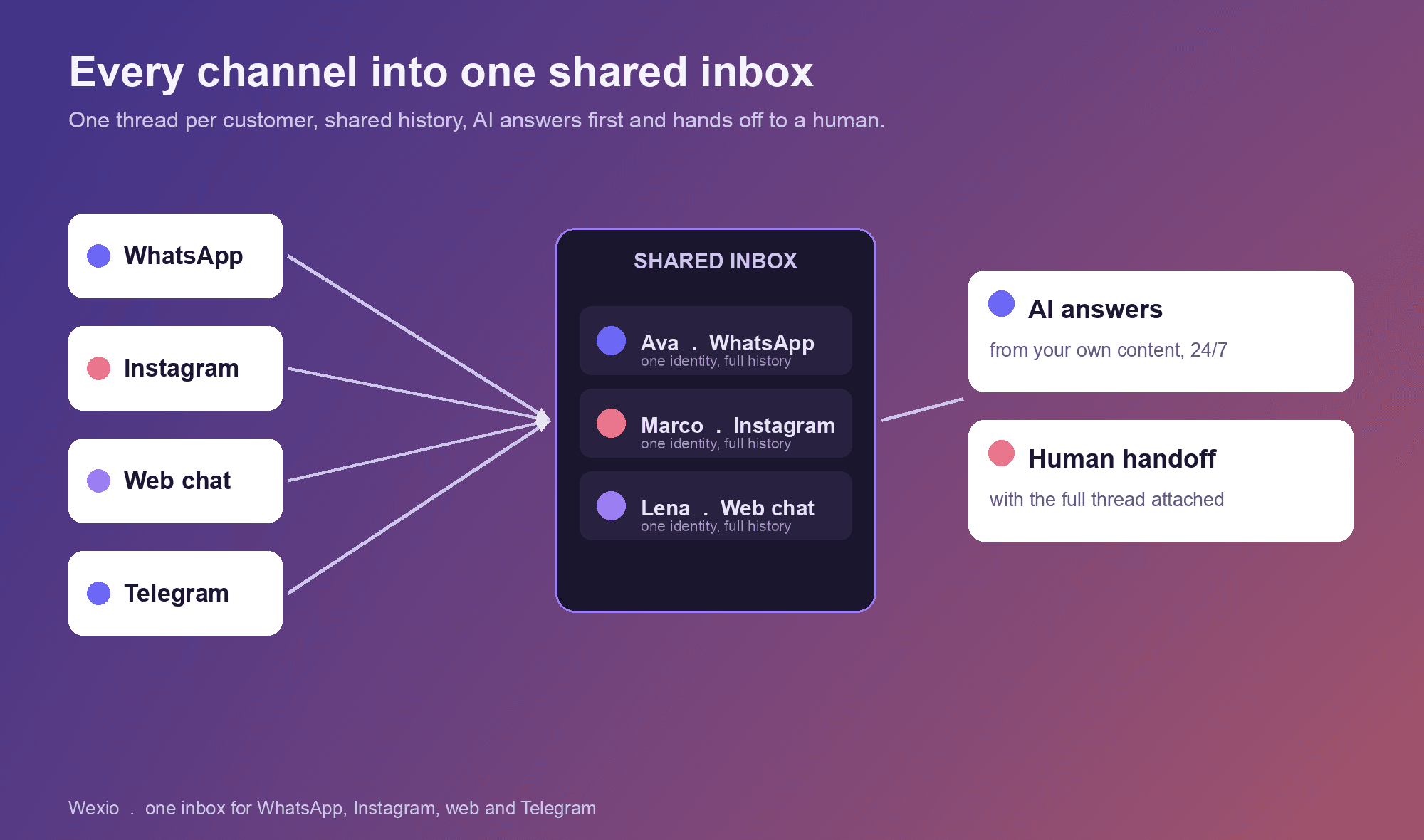
It unifies conversations into one thread per customer. WhatsApp, Instagram, web chat, all landing in the same place, and ideally stitched to one customer identity so their history follows them across channels instead of resetting each time.
It gives the whole team visibility. Everyone sees what's open, what's answered, and who's on it. No silent double-replies, no "did anyone get back to them?"
It handles assignment and handoff. Conversations route to the right person, or the AI answers first and hands off to a human with the full context attached, not a cold "please repeat your issue."
It keeps the customer record next to the chat. Who they are, what they've bought, what they asked last time, right there while you reply. That's the difference between support and lookups.
If a tool does the first (one list) but not the rest, it's an aggregator, not an inbox. The visibility and the shared history are what turn a team of three into something that feels like a team of ten.
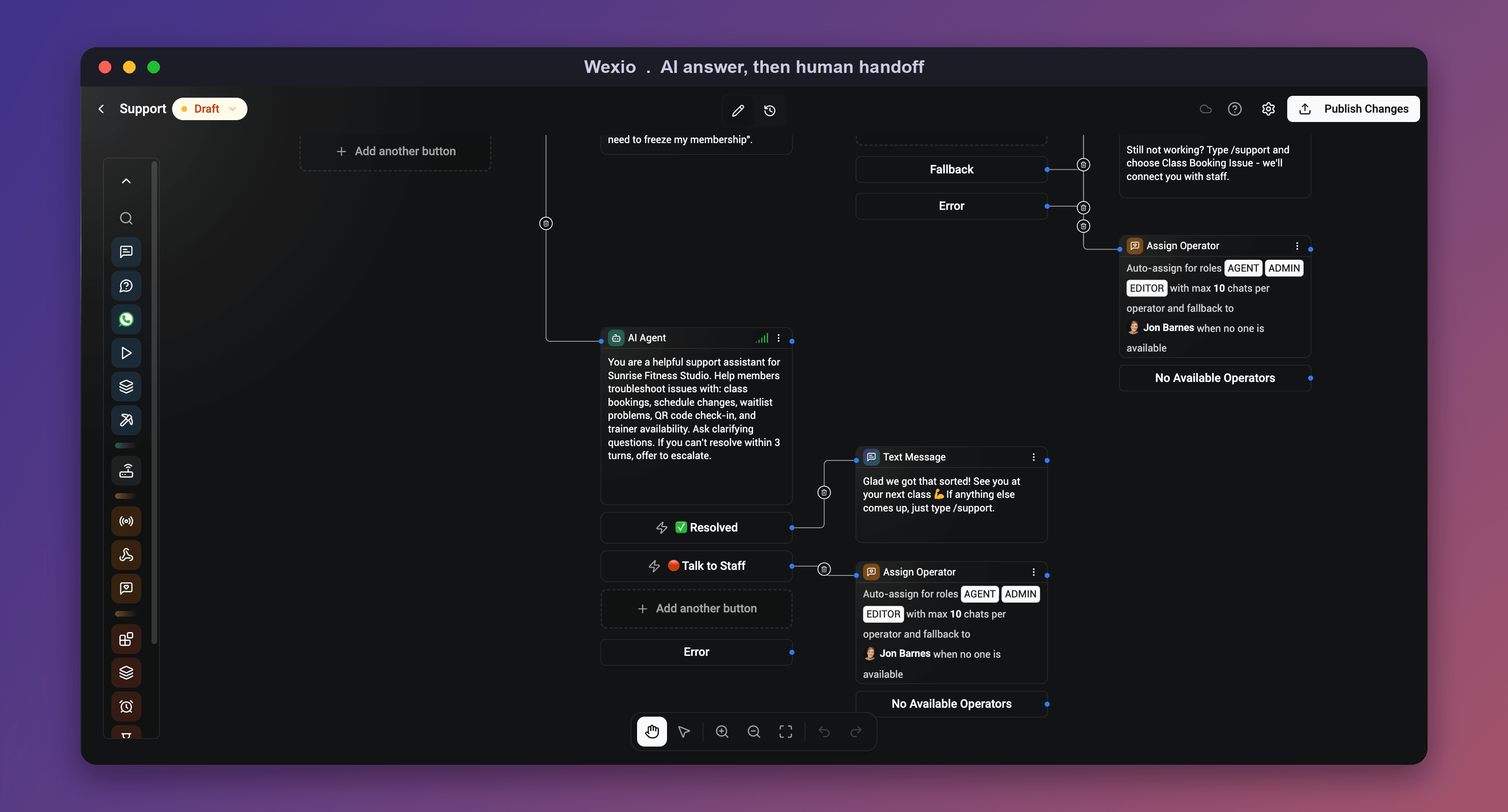 Handoff, made visible: the AI resolves what it can and routes to a human with the whole thread when it should, so nobody asks the customer to repeat themselves.
The WhatsApp and Instagram part nobody explains
Here's where I can save you a week, because this is the bit that trips everyone up.
WhatsApp and Instagram both run on Meta's messaging platform. To pull either into a business inbox, you're not "logging in with your account." You're connecting through Meta's API, which means a verified Meta business, an approved app, and for Instagram a Professional account linked to a Facebook Page. It's very doable, but it's a setup, not a toggle, and anyone who tells you otherwise is hiding a cost or a catch.
Two honest things worth knowing:
- WhatsApp is priced per message now. Meta moved off the old per-conversation model in 2026, so template messages are billed per message, while replies inside the free 24-hour service window (when a customer messages you first) stay free. I broke down how that math works in the free WhatsApp Business API piece, and the providers comparison if you're weighing who to connect through.
- Instagram DM automation needs that Professional-account-plus-Page link, and Meta reviews the app before it can message at scale. This is the honest reason most "instant" setups quietly cap what they can do.
I'll be straight about where Wexio is on this, since it's the whole topic: web chat and Telegram are live today, and WhatsApp and Instagram are rolling out now, in Meta review, targeting September. I'm doing that verification myself this month, so if you need all four channels live this week, I'd rather tell you that up front than sell you a maybe.
Where the bigger tools genuinely win
I'd rather you hear this from me than find out after switching. If you're a larger team that needs deep reporting, SLA rules, and a mature ecosystem, tools like respond.io, Trengo and Zendesk are strong, mature shared inboxes with years of polish. They're built for scale and they earn their price at scale.
The catch is that they're priced and shaped for that buyer. For a small team that mostly needs WhatsApp, Instagram and web chat in one place, with AI answering the repetitive stuff, most of that surface area is weight you pay for and never touch. Match the tool to your size, not to the logo wall.
How to pick one without getting burned
Skip the feature checklists. Answer these instead.
- Does it truly unify, or just aggregate? One thread per customer with shared history beats four channel tabs stacked in one window. Ask to see a customer who messaged on two channels.
- What's the real WhatsApp and Instagram setup? Confirm it connects through Meta's official API, and ask what's actually live today versus "coming soon."
- How clean is the human handoff? The AI or the first responder should pass the full context, instantly. Test it before you buy.
- Is the customer record next to the chat? If your team has to alt-tab to a CRM to know who they're talking to, it's not really one inbox.
- How is it priced as you grow? Per-seat pricing punishes you for adding teammates. Ask for the price at your real team size and message volume, not today's.
If you want the tool-by-tool version, our best chatbot for small business test and the live chat software comparison both score real tools against exactly these criteria.
Where Wexio fits
Disclosure: I work on Wexio, so weigh this accordingly. We built the inbox as one place for every channel, with one customer identity across them, so a team of one can answer like a team of ten. The AI answers the repetitive questions from your own content and hands off to a person with the full thread attached, and the logic is a no-code flow you can actually see.
Today that's web chat and Telegram, with WhatsApp and Instagram rolling out in September. On cost, it's usage-based with a free plan and no per-seat tax, so adding a teammate doesn't add a bill. If you want to sanity-check the numbers on your real volume, the support cost calculator does the math.
FAQ
Can I manage WhatsApp and Instagram in one inbox? Yes. Because both run on Meta's messaging platform, a shared team inbox can pull WhatsApp and Instagram DMs into one place, ideally alongside web chat, with each customer's history following them across channels. The setup runs through Meta's official API, so it needs a verified business and an approved app, not just a login.
What is a shared team inbox? It's one place where your whole team sees, assigns and answers every customer conversation across channels, with shared history and visibility. The difference from having both apps open is that nobody double-replies, nothing sits unseen, and every reply has the full context attached.
Is a WhatsApp team inbox different from the WhatsApp Business app? Yes. The WhatsApp Business app is built for one phone and a handful of chats. A WhatsApp team inbox connects through the API so multiple teammates can answer together, with assignment, history and other channels in the same view. Once more than one person needs to reply, you've outgrown the app.
Do I need separate tools for WhatsApp and Instagram? No, and you shouldn't. Running a separate bot or inbox per channel is exactly what fragments the context. The point of a shared inbox is one AI and one team answering across every channel, into a single view.
How much does a shared inbox for WhatsApp and Instagram cost? The platform ranges from free to hundreds a month. Watch two things: per-seat pricing, which taxes you for growing your team, and the WhatsApp per-message fee that sits on top of any platform (Meta switched from per-conversation to per-message billing in 2026). Usage-based pricing without a seat tax is the friendlier model for a small team.
The one-line version
A shared team inbox for WhatsApp and Instagram isn't two apps open at once. It's one thread per customer, full history, shared visibility, and a clean handoff, so your team stops dropping the conversations your customers thought they were having with one business all along.