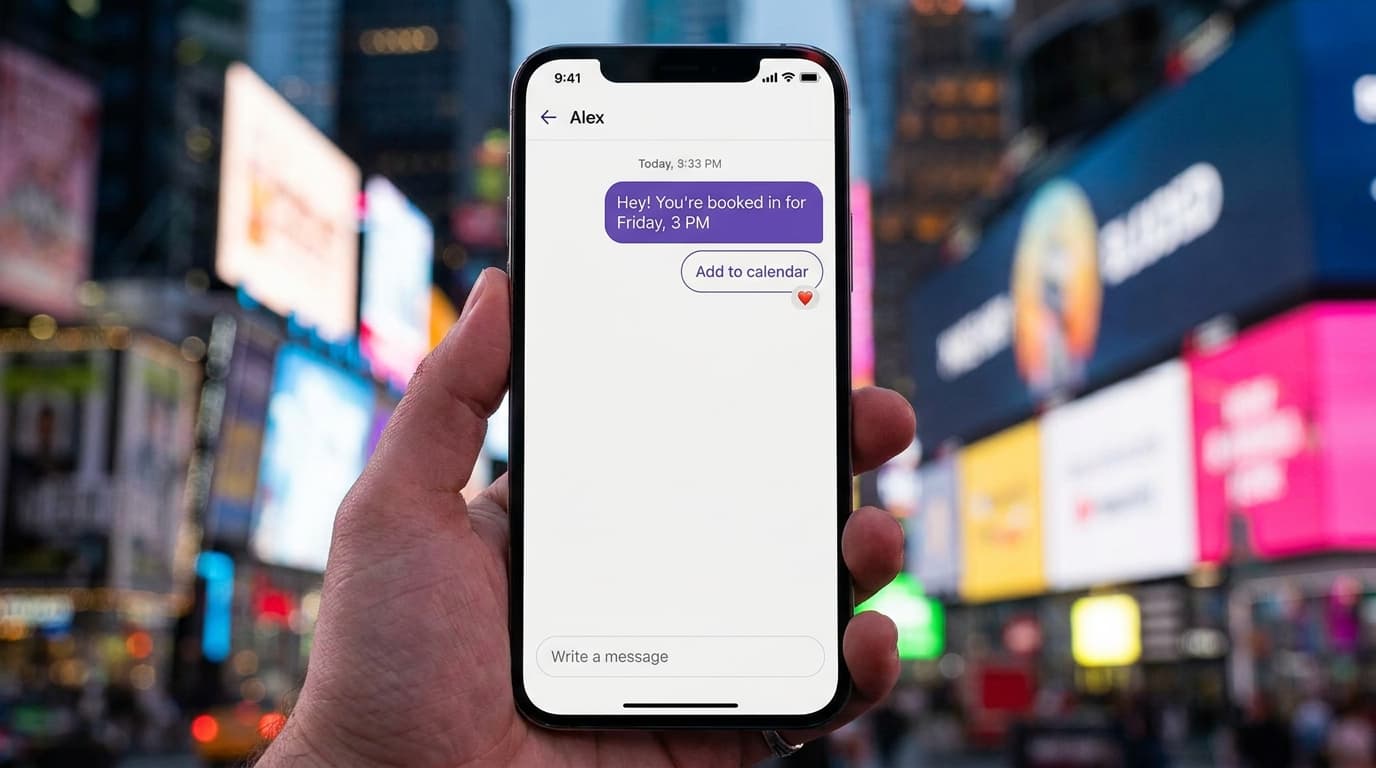
Messenger bots aren't just a novelty anymore. They're a legitimate revenue channel. With open rates that can hit 80% on Messenger marketing, businesses that ignore chat automation are leaving money on the table. ManyChat sits at the center of this shift, positioning itself as a conversational marketing platform built on the idea that one-to-one messaging converts better than traditional broadcast content. Whether you run a beauty salon, a car dealership, or an online course, a well-built Messenger bot can handle lead capture, appointment booking, and customer support around the clock. But a bot is only as good as its architecture. A sloppy setup means frustrated users, wasted ad spend, and a dead-end experience. This guide walks you through building and fine-tuning your ManyChat automation from the ground up: from flow design and personalization to analytics and integration with your broader marketing stack.
Core Architecture of ManyChat Messenger Automation
Before you build a single flow, you need to understand the two engines that power every ManyChat bot. Getting this foundation right determines whether your bot feels like a helpful assistant or a broken phone tree.
Understanding Flow Builder vs. Basic Automation
ManyChat gives you two distinct tools for building automated responses. Basic Automation handles simple, one-step replies. Think of it as a quick-response layer: someone types "hours," and the bot fires back your schedule. No branching, no conditions, no follow-up. It's fast to set up and perfect for FAQs.
Flow Builder is where the real work happens. It's a visual, drag-and-drop canvas where you map out multi-step conversations. Each node represents a message, a condition, an action, or a delay. You can branch paths based on user input, tag contacts, update custom fields, and route people to a live agent when the bot hits its limits.
Here's a practical rule of thumb: use Basic Automation for anything that needs a single reply. Use Flow Builder for anything that requires two or more steps, collects data, or changes behavior based on who's chatting. Most businesses end up with a handful of Basic Automations and dozens of flows.
Configuring Global Settings and Bot Fields
Your bot's global settings act like its operating system. Before you publish anything, configure your default reply (the message sent when the bot doesn't understand an input), your welcome message, and your timezone. These small details shape first impressions.
Bot Fields are custom data fields attached to each subscriber. Think of them as columns in a spreadsheet. You might create fields for "lead_score," "preferred_service," or "last_visit_date." Every time a user interacts with your bot, you can write data to these fields and use it later to personalize messages or trigger specific flows.
Set up your naming conventions early. Use snake_case or camelCase consistently. Label fields by category (e.g., "booking_date," "booking_location"). This discipline pays off when you have 50+ fields and need to debug a flow at 11 PM.
Designing High-Conversion Lead Capture Flows
A bot that doesn't capture leads is just a chatty widget. The goal is to move people from "curious" to "qualified" in as few taps as possible.
Deploying Growth Tools: Ref URLs and Overlay Widgets
ManyChat's Growth Tools are your entry points. They're the mechanisms that get people into your bot in the first place. Ref URLs are unique links that, when clicked, open a Messenger conversation and trigger a specific flow. Paste them in emails, social bios, or QR codes on physical signage.
Overlay Widgets sit on your website. Options include slide-ins, modals, page takeovers, and embedded bars. Each one can be targeted by URL, so your pricing page shows a different prompt than your blog. A slide-in on a product page might say, "Want 10% off? Tap to claim in Messenger." A modal on a booking page could ask, "Need help choosing a time?"
Step one: pick the growth tool that matches your traffic source. Step two: connect it to a dedicated flow, not your generic welcome message. Step three: track opt-in rates per tool and kill anything below 5% conversion after 500 impressions.
Automating Keyword Triggers for Instant Engagement
Keyword triggers fire a flow when someone types a specific word or phrase. They're the backbone of comment-to-Messenger campaigns on Facebook and Instagram. Someone comments "DEAL" on your post, and the bot instantly DMs them with an offer.
Set up exact-match keywords for high-intent phrases ("pricing," "book," "demo") and broad-match keywords for common typos or variations. Avoid single-letter triggers or overly generic words like "hi" unless you want your default welcome flow to handle those.
A common mistake: stacking too many keyword triggers that overlap. If "price" triggers Flow A and "pricing info" triggers Flow B, you'll confuse both the bot and the user. Audit your keyword list monthly. Remove duplicates and consolidate where possible.
Advanced Logic and Personalization Strategies
Generic bots get ignored. Personalized bots get replies. The difference comes down to how well you use conditions, tags, and external data.
Implementing Conditional Logic and User Tags
Conditional logic lets your bot make decisions. At any point in a flow, you can add a Condition node that checks a subscriber's data before choosing the next step. "Is lead_score greater than 5? Send the sales offer. Otherwise, send more educational content."
Tags are simple labels you attach to subscribers. Unlike custom fields (which hold values), tags are binary: a user either has the tag or doesn't. Use them for broad segmentation: "attended_webinar," "VIP_customer," "abandoned_cart." Tags are especially useful for excluding people from sequences they've already completed.
Here's a practical combo: when a user completes a lead capture flow, tag them "qualified_lead" and set their "lead_score" field to the number of questions they answered. Later, a broadcast can target only subscribers with the "qualified_lead" tag and a lead_score above 3. That's how you send the right message to the right person.
One critical trigger to build: if a user expresses frustration or types something like "talk to a human," route them to a live agent immediately. Negative sentiment detection and repeated failed responses should always escalate to a real person. Never trap someone in a bot loop.
Utilizing Dynamic Content and External Requests
Dynamic content pulls real-time data into your messages. ManyChat supports this through the External Request (HTTP Request) action, which calls an external API and uses the response inside your flow. You could pull a user's order status from Shopify, fetch available appointment slots from Calendly, or grab weather data for a location-based promotion.
Setting this up requires a basic understanding of JSON and API endpoints. The External Request node lets you define the URL, method (GET or POST), headers, and body. Map the response fields to your bot's custom fields, and suddenly your messages feel alive with real-time info.
If you're not comfortable with APIs, platforms like Wexio offer a no-code visual flow builder with built-in AI cards and conditional branching that can handle similar logic without writing a line of code. Their drag-and-drop approach includes version control, so you can roll back if something breaks.
Optimizing for the 24-Hour Messaging Window
Facebook enforces a strict rule: you can only send a free-form message to a subscriber within 24 hours of their last interaction. After that window closes, you need a special pass. Ignoring this rule gets your bot banned.
Leveraging Message Tags for Out-of-Window Updates
Message Tags are Facebook's approved exceptions to the 24-hour rule. They let you send specific types of messages outside the window, but only for legitimate purposes. The three allowed categories are Confirmed Event Update, Post-Purchase Update, and Account Update.
You can't use message tags for promotions, sales, or "just checking in" messages. Facebook audits this, and violations result in warnings or permanent bans. A confirmed event update means exactly that: reminding someone about a webinar they registered for, not pitching a new product.
Use message tags sparingly and honestly. Build your flows so that the most important conversion actions happen inside the 24-hour window. If someone opts in at 2 PM, your highest-value message should go out before 2 PM the next day.
One-Time Notifications (OTN) and Recurring Notifications
OTN lets you ask a subscriber for permission to send one message outside the 24-hour window. You present a button that says something like, "Want us to notify you when the sale goes live?" If they tap it, you earn one token: one chance to message them later.
Recurring Notifications take this further. Subscribers can opt in to receive periodic messages (daily, weekly, or monthly) for up to a year. This is a powerful re-engagement tool, but the opt-in must be explicit and the content must match what you promised.
The strategy here is to collect OTN and recurring notification permissions during high-engagement moments. Don't ask for permission in your welcome flow when trust is low. Ask after you've delivered value: after a quiz result, a coupon delivery, or a helpful answer. Timing matters more than the ask itself.
Integrating ManyChat with Your Marketing Stack
A bot that lives in isolation is a data silo. The real power of ManyChat automation shows up when your bot talks to your CRM, email platform, and ad tools.
Syncing Data with CRMs via Native Integrations
ManyChat offers native integrations with tools like HubSpot, ActiveCampaign, Mailchimp, and Google Sheets. These connections let you push subscriber data (name, email, phone, custom fields) directly into your CRM when someone completes a flow.
The setup is straightforward. Inside Flow Builder, add an Action node, select your integration, and map ManyChat fields to CRM fields. For example, when a subscriber fills out a lead capture form in Messenger, their email and "preferred_service" field can land in HubSpot as a new contact with a specific deal stage.
One tip: don't sync every subscriber. Only push contacts who've completed a meaningful action, like finishing a quiz or requesting a callback. This keeps your CRM clean and your sales team focused. ManyChat manages automation across Instagram, Facebook Messenger, WhatsApp, SMS, email, TikTok, and Telegram from a single dashboard, so you'll want your CRM to reflect which channel each lead came from.
Using Zapier and Webhooks for Custom Workflows
For integrations ManyChat doesn't support natively, Zapier fills the gap. A Zap can connect ManyChat to over 5,000 apps. Subscriber tags a "booked" tag? Zapier creates a calendar event, sends a Slack notification to your team, and adds a row to Airtable.
Webhooks offer even more control. A webhook sends raw JSON data to any URL you specify. If you have a custom backend or use a platform like Wexio with its own automation engine, webhooks let you pass subscriber data in real time and trigger actions on the other side.
If you're running a multi-channel operation, consider whether a unified inbox might serve you better than stitching together multiple tools. Wexio's platform, for instance, manages WhatsApp, Telegram, Instagram, and Viber from one dashboard with 12+ industry-specific templates ready to deploy. That consolidation eliminates the tab-switching tax that bleeds time from small teams.
Pricing matters here too. ManyChat's Essential Plan starts at $14/month for 250 active contacts, while the Pro Plan runs $29/month for 2,500 contacts. AI features cost an additional $29/month on top of Pro. Factor these costs into your integration decisions.
Analytics and Iterative Bot Optimization
Building the bot is half the job. The other half is reading the data and making it better, week after week.
A/B Testing Conversion Paths and Message Copy
ManyChat's built-in Randomizer node lets you split traffic between two or more paths. Use it to test everything: button text, message length, image vs. no image, quick replies vs. free text input.
Run each test for at least 500 interactions before drawing conclusions. Look at the median conversion rate, not just the average, to account for outliers from bot-curious clickers who never intended to convert. A 2% difference in click-through on your opening message compounds across thousands of subscribers.
Start with the highest-impact nodes. Your welcome message and your first call-to-action button are the two spots where small copy changes create the biggest swings. Test one variable at a time. Changing the button text and the image simultaneously tells you nothing about which change worked.
Monitoring Drop-off Rates and Interaction Heatmaps
Every flow has a leaky bucket somewhere. ManyChat's analytics show you how many people entered each node and how many moved to the next. The gap between those numbers is your drop-off rate.
Look for nodes where more than 30% of users bail. Common culprits: asking for an email too early, presenting too many button options (keep it to three max), or sending a wall of text that nobody reads. Trim, simplify, and retest.
Review your chat transcripts regularly. They're free user research. You'll spot logic gaps, unexpected questions, and moments where users wanted a human but got stuck. Build a monthly habit of reading 20-30 transcripts and updating your flows based on what you find. That feedback loop is what separates a bot that collects dust from one that actually drives revenue.
Making Your Bot Work Harder
The difference between a mediocre Messenger bot and a high-performing one isn't magic. It's architecture, personalization, and relentless testing. Build your flows with clear logic. Respect the 24-hour window. Connect your bot to the tools your team already uses. And read the data every single week.
If you're finding that managing automations across multiple messaging platforms is eating up your time, it might be worth consolidating. Wexio brings WhatsApp, Telegram, Instagram, and Viber into a single AI-powered platform with a free tier to get started. Try it out and see if a unified approach fits your workflow better than juggling separate tools.
Your bot should feel like your best employee: always on, always helpful, and always improving.
Sources
- https://manychat.com/blog/chatbot-automation-is-transforming-social-media/
- https://manychat.com/blog/marketing-automation/
- https://medium.com/@1shaifriedman/an-introduction-to-manychat-what-it-is-and-how-it-can-benefit-your-business-bbd17663297b
- https://ecommerceparadise.com/manychat-review-2026-the-best-chatbot-and-messaging-automation-platform-for-ecommerce-and-social-media-marketing/