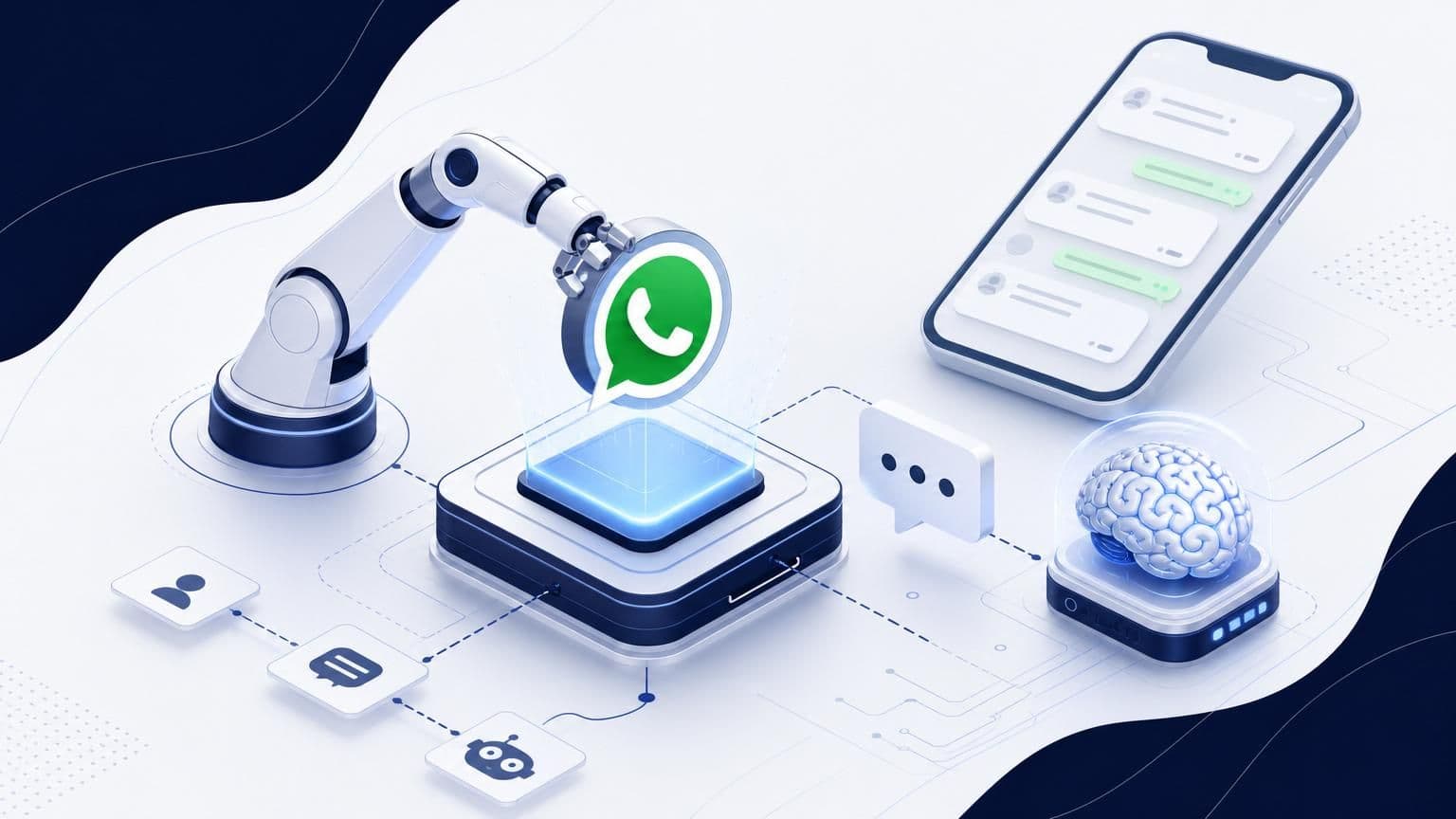
Most businesses assume AI-powered WhatsApp automation requires a hefty monthly subscription. That assumption is wrong, at least through the middle of 2026. Between Meta's extended developer trials, open-source AI models, and freemium platforms offering generous free tiers, you can build a fully functional AI chatbot on WhatsApp without spending a cent. The catch? You need to know exactly where the free resources are, how to connect them, and which hidden fees to sidestep. This guide breaks down every viable path to getting free AI WhatsApp automation running before July 2026, whether you're a solo entrepreneur or a growing team. If you've been putting off automation because of cost, your window is wide open right now.
Understanding the 2026 Free Tier Landscape
The free tier landscape for WhatsApp automation has shifted dramatically since 2024. Meta has loosened access to its Business Platform APIs, cloud providers are competing for developer loyalty with always-free compute tiers, and AI model costs have dropped to near zero for lightweight use cases. The result is a rare overlap of free resources that makes 2026 the cheapest year yet to automate WhatsApp conversations with AI.
But "free" doesn't mean "unlimited." Every platform has caps, whether that's message volume, API calls, or compute hours. Understanding where those limits sit is the difference between a sustainable setup and a nasty surprise on your bill.
Meta's Extended Trial Periods for Developers
Meta launched an extended trial program for the WhatsApp Business Platform in late 2025. New developer accounts get 90 days of free API access, up from the previous 30-day window. That trial includes 1,000 service conversations per month at no charge, plus access to the full Cloud API feature set.
Here's what matters: the 90-day clock starts when you send your first message, not when you create the account. So you can register now, build your automation, test it thoroughly, and only trigger the trial once you're ready to go live. That buys you extra weeks of free runway.
Meta also introduced a "startup credit" program in Q1 2026. Businesses with fewer than 50 employees can apply for $500 in WhatsApp API credits, which covers roughly 25,000 to 50,000 conversations depending on your region. The application process takes about a week and requires a verified Meta Business account.
The Role of WhatsApp Business Platform Credits
Platform credits are the quiet workhorse of free WhatsApp automation. Beyond Meta's own programs, several cloud partners distribute WhatsApp API credits as part of broader developer incentive packages.
Google Cloud's "Startup" program includes $2,000 in general credits that can be applied to WhatsApp Business API hosting costs. AWS Activate offers similar packages. These credits don't specifically say "WhatsApp" on the tin, but they cover the compute and API gateway costs that make WhatsApp automation possible.
The trick is stacking these credits. A savvy setup might combine Meta's free conversation tier with Google Cloud credits for hosting and a free AI model for response generation. Each layer costs nothing individually, and together they form a complete automation stack that runs free through June 2026 and potentially beyond.
Leveraging Open-Source AI Frameworks
You don't need a paid OpenAI subscription to power intelligent WhatsApp responses. Open-source AI models have reached a quality threshold where they handle customer service, appointment booking, and FAQ responses with impressive accuracy. The key is picking the right model and hosting it cheaply.
Integrating Llama 3 with WhatsApp Gateways
Meta's Llama 3.1 and 3.2 models are the obvious choice for WhatsApp automation. They're free to use, well-documented, and optimized for conversational tasks. The 8B parameter version runs comfortably on modest hardware and handles most customer-facing conversations without breaking a sweat.
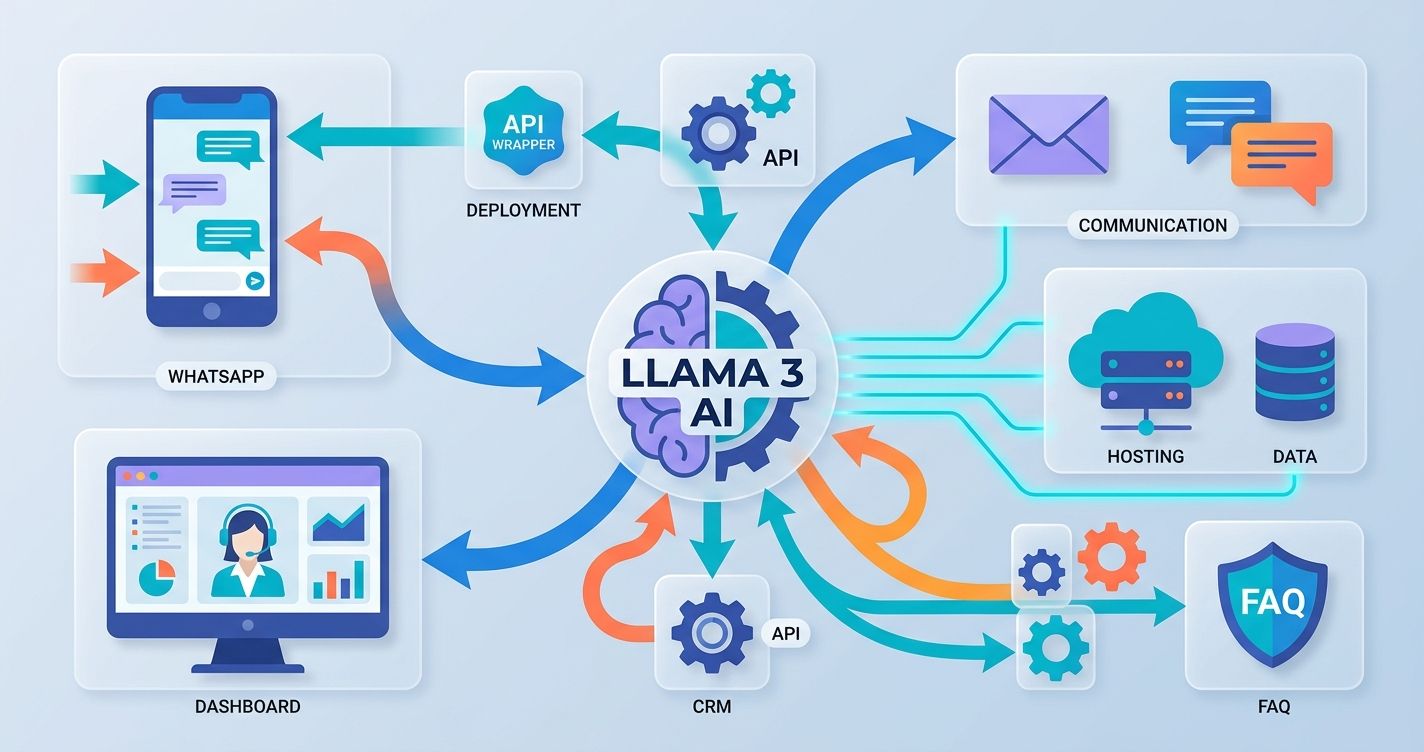
The integration path looks like this:
- Deploy Llama 3 on a free-tier cloud instance (more on that below).
- Set up a lightweight API wrapper using FastAPI or Flask.
- Connect the WhatsApp Cloud API webhook to your model's endpoint.
- Define system prompts that match your business context: appointment scheduling, product questions, order tracking, or whatever your customers ask about most.
The 8B model handles classification and short-form responses well. For more complex tasks like document analysis or multi-turn reasoning, you'll want the 70B variant, which requires more compute but can still run on free-tier GPU instances from providers like Lambda or Hugging Face Spaces.
One reality check: self-hosted models need monitoring. Review your chat transcripts weekly to spot logic gaps, unexpected questions, and points where users drop off. That transcript review is free user research you can't afford to skip.
Self-Hosting Automation on Free Cloud Tiers
Several cloud providers offer always-free tiers that can host a WhatsApp automation backend. Here are the most practical options in 2026:
- Oracle Cloud Free Tier: 4 ARM-based Ampere A1 cores, 24 GB RAM. Enough to run Llama 3 8B with quantization.
- Google Cloud Free Tier: 1 e2-micro instance, always free. Suitable for a webhook relay and lightweight logic, though not enough for model hosting.
- Fly.io Free Tier: 3 shared-CPU VMs with 256 MB RAM each. Good for running your API gateway and message routing.
- Hugging Face Spaces: Free CPU instances for model inference, with community GPU access for burst workloads.
The winning strategy is splitting your architecture. Run your webhook handler and message queue on Google Cloud or Fly.io. Host your AI model on Oracle Cloud's ARM instance or Hugging Face. This distributed approach keeps each component within its respective free tier limits.
Zero-Cost Platforms with Long-Term Free Tiers
Not everyone wants to self-host. If you'd rather use a managed platform, several providers offer genuinely useful free tiers that last indefinitely, not just trial periods.
Evaluating Freemium Business Solution Providers
The freemium market for WhatsApp automation has matured considerably. Most platforms now offer a permanent free tier aimed at small businesses and solo operators. But the quality varies wildly.
Here's what to look for in a free plan:
- Message volume: Does the free tier include enough monthly conversations for your needs?
- AI capabilities: Can you connect AI models or use built-in AI features without upgrading?
- Channel support: Is WhatsApp the only channel, or can you manage Instagram, Telegram, and others from the same dashboard?
- Flow builder: Can you build automated conversation flows visually, or are you stuck writing code?
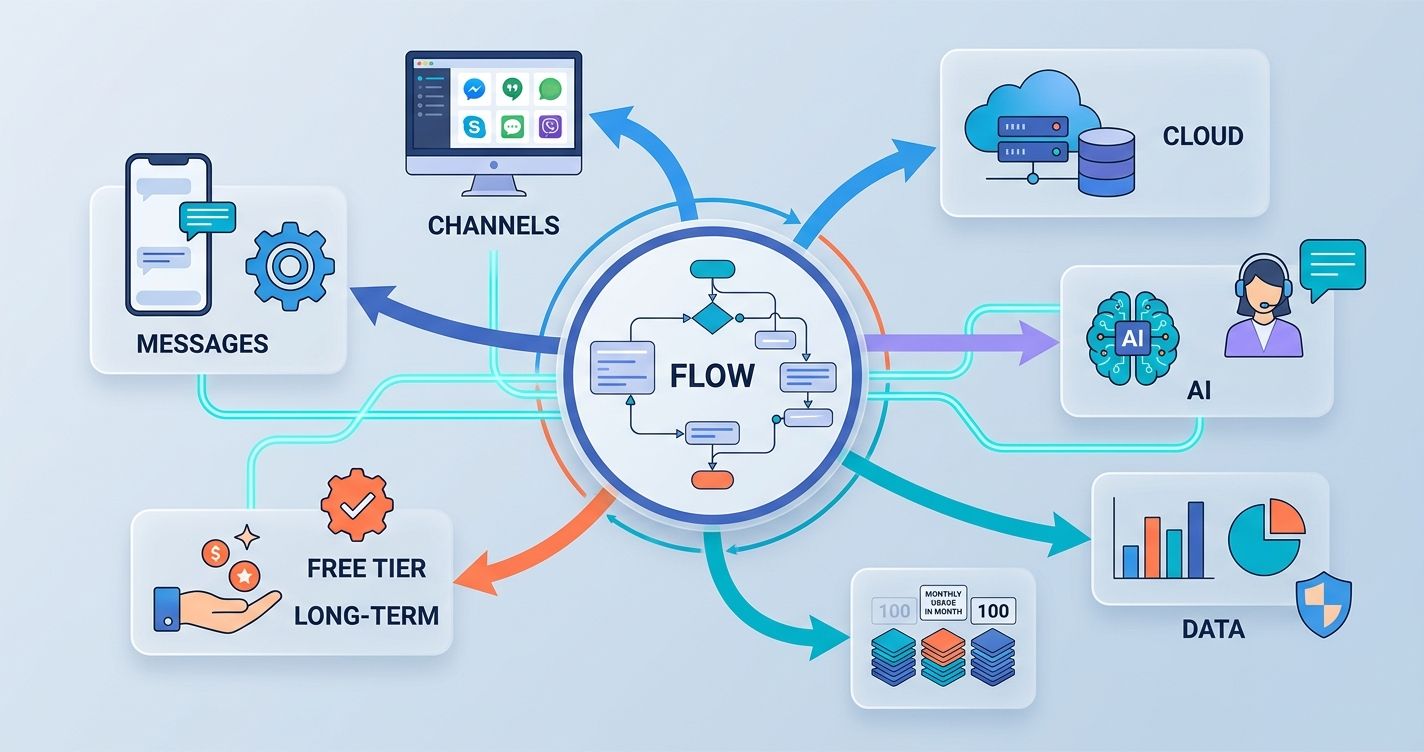
Wexio, for example, offers a free tier with 100 operations per month and no credit card required. That includes access to their visual flow builder with AI cards, conditional branching, and a unified inbox that covers WhatsApp alongside Telegram, Instagram, and Viber. For a small business handling a modest volume of customer inquiries, that's a functional automation setup at zero cost.
The 100-operation limit sounds small, but operations aren't the same as messages. A single conversation might count as one operation regardless of how many messages it contains. Read the fine print on any platform you evaluate, because the definition of "operation" or "conversation" varies significantly.
Maximizing the 1,000 Monthly Free Conversations
Meta's WhatsApp Business Platform gives every business 1,000 free service conversations per month. A "service conversation" starts when you reply to a user-initiated message and lasts for 24 hours. Within that window, you can send unlimited messages.
To stretch those 1,000 conversations:
- Resolve inquiries in a single session. Don't let conversations lapse and restart.
- Use AI to handle common questions instantly. A fast, accurate first response reduces follow-ups.
- Batch your outbound template messages. Marketing and utility templates cost money, but service replies within the 24-hour window are free.
- Set clear triggers for bot-to-human handoff. If the AI detects negative sentiment, repeated failed responses, or an explicit request for a human, route the conversation to a live agent. Platforms like Wexio have a "Route to Operator" feature built into their flow builder for exactly this purpose.
Track your median conversation length, not just the average. A few outlier conversations with demanding customers can skew your average and give you a false sense of how many free conversations you actually need.
Step-by-Step Setup for AI Automation
Theory is nice. Here's how to actually build it.
Connecting Webhooks to AI Agents
Webhooks are the glue between WhatsApp and your AI. When a customer sends a message, WhatsApp's Cloud API fires a webhook to your server. Your server processes the message, sends it to your AI model, and returns the response.
Step one: Create a Meta Developer account and register a WhatsApp Business app. You'll get a phone number ID and an access token.
Step two: Set up a webhook endpoint. This can be a simple Python Flask app running on a free cloud instance. Your endpoint needs to handle Meta's verification challenge (a GET request) and incoming messages (POST requests).
Step three: Connect your AI agent. When your webhook receives a message, extract the text and send it to your AI model's API. This could be a self-hosted Llama 3 instance, a Hugging Face Inference endpoint, or a platform's built-in AI.
Step four: Send the response back. Use the WhatsApp Cloud API's messages endpoint to reply. Include the recipient's phone number, your access token, and the AI-generated text.
Step five: Add error handling. If your AI model is slow or unresponsive, queue the message and retry. Never leave a customer hanging with no response: that chips away at trust faster than a slow reply.
Automating Responses with No-Code Tools
If webhook configuration sounds intimidating, no-code tools eliminate the technical barrier entirely. Several platforms let you build AI-powered WhatsApp flows using drag-and-drop interfaces.
Wexio's Flow builder is a solid example. You drag an AI card onto the canvas, connect it to a trigger (like an incoming message containing "book appointment"), and define the response logic with conditional branches. No Python. No server management. The platform handles webhook configuration, message routing, and AI inference behind the scenes. They even offer 12 industry-specific automation templates out of the box, covering automotive, beauty, healthcare, retail, and more.
Other no-code options include n8n (self-hosted, free) and Make (limited free tier). Both can connect to WhatsApp's Cloud API and route messages to AI endpoints. The trade-off is that general-purpose automation tools require more setup than purpose-built messaging platforms.
Whichever route you choose, start simple. Build a single flow that handles your most common customer question. Test it with real users. Review the transcripts. Then expand. Trying to automate everything on day one is how most projects stall.
Avoiding Common Costs and Hidden Fees
Free tiers are generous, but they're surrounded by paid features designed to catch you off guard. Knowing where the costs hide keeps your setup genuinely free.
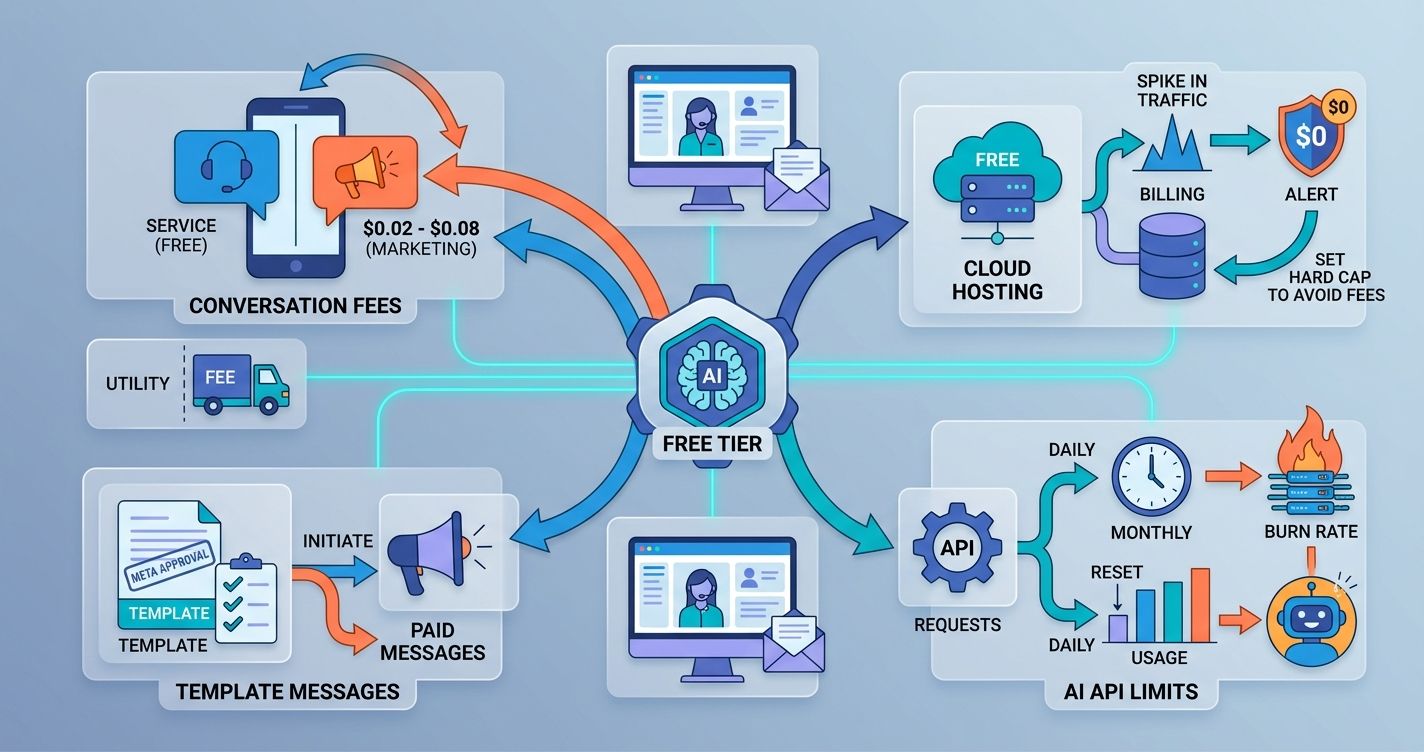
The biggest surprise for most businesses is Meta's conversation-based pricing outside the free tier. Service conversations are free up to 1,000 per month, but marketing conversations (outbound promotional messages) cost between $0.02 and $0.08 each depending on your country. Utility conversations, like order confirmations and shipping updates, also carry per-conversation fees.
Cloud hosting is another sneaky cost center. Oracle Cloud's free tier is generous, but if your traffic spikes and you accidentally exceed the free limits, you'll get billed. Set hard spending alerts at $0 on every cloud provider you use. Most platforms let you cap spending so you never accidentally cross into paid territory.
AI API costs can creep in too. If you're using a hosted model through an API provider, check whether free-tier rate limits reset monthly or daily. A daily reset of 1,000 requests might sound like enough, but a busy WhatsApp bot can burn through that in hours.
Managing Template Message Limits
Template messages are pre-approved message formats you send outside the 24-hour conversation window. They're how you initiate conversations, send reminders, and push promotions. They're also the most expensive part of WhatsApp automation.
Each template must be approved by Meta before use. Approval typically takes 24 to 48 hours. Rejected templates count against your submission limit, so get the format right the first time.
To keep template costs at zero:
- Only use templates when absolutely necessary. If a customer messaged you within the last 24 hours, reply within the free service window instead.
- Avoid marketing templates entirely on the free tier. Stick to utility templates like appointment reminders or order confirmations.
- Design templates with variable placeholders so one approved template serves multiple use cases.
- Monitor your template quality rating in the Meta Business Manager. A low rating increases costs and can get your number restricted.
Future-Proofing Your Automation Strategy
Free tiers change. Meta could tighten its 1,000-conversation limit. Cloud providers could reduce always-free compute. Building your automation on a single free resource is risky. Building it across multiple free resources, with a clear upgrade path, is smart.
Keep your AI prompts and conversation flows portable. If you build on a platform with a visual flow builder, make sure you can export your flows or recreate them elsewhere. Vendor lock-in is the hidden cost of "free" that nobody talks about until it's too late.
Connect your WhatsApp automation to your existing CRM and marketing stack. Data should flow between your messaging platform and your customer database automatically. If your free tool doesn't support CRM integration, that's a sign you'll outgrow it quickly.
Review your chat transcripts monthly. Look at median response times, resolution rates, and the questions your AI can't handle. These metrics tell you exactly when you'll need to upgrade, and they give you the data to justify the spend when that time comes.
The window for free AI WhatsApp automation through June 2026 is real, but it rewards preparation. Set up your accounts now. Build your flows. Test with real customers. By the time free tiers tighten or expire, you'll have a proven system and the data to know exactly what it's worth paying for.
If you're ready to skip the piecemeal approach and run WhatsApp, Telegram, Instagram, and Viber from a single dashboard with built-in AI, get started with Wexio. The free tier requires no credit card, and you can have your first automated flow live in under an hour.